Escape the Matrix
Research
Escape rooms are often real life attractions in which a player, or team of players are trapped in a small room, or series of rooms consisting of several different puzzles. There are often (fairly cryptic) clues which can help point the player(s) in the right direction, which I want to incorporate in my game.
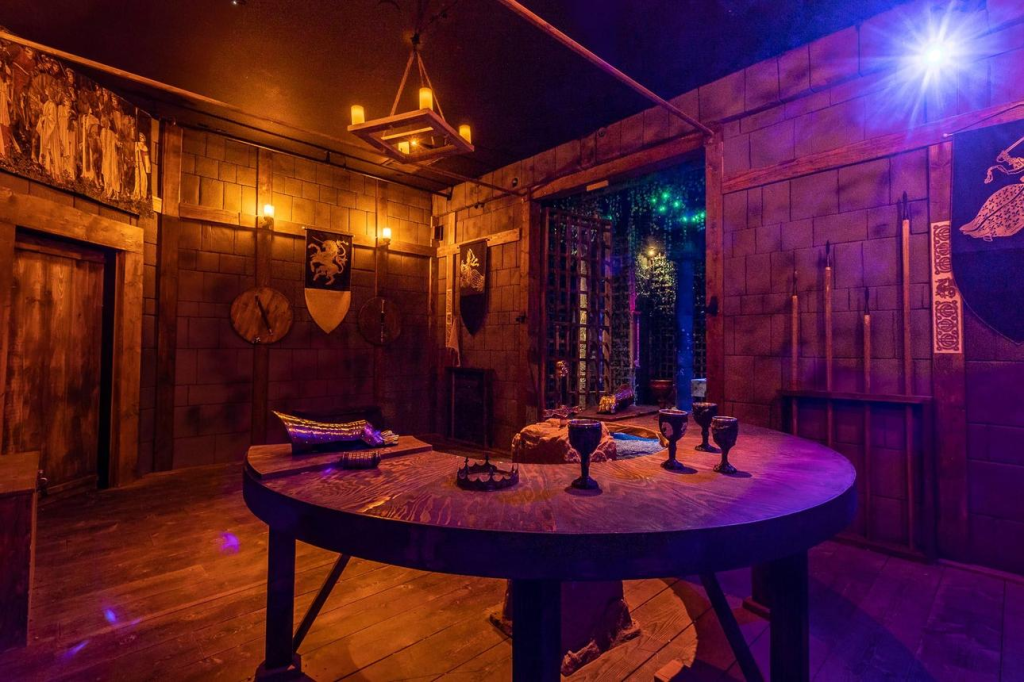
In the case of team-based escape rooms, players will have to work together to figure out how to escape. Since Escape The Matrix will be single-player, the player will not have this aspect. However, the game will provide a hint with each puzzle in order to point the player in the right direction.
I have personally only done a single escape room in my life. However, we were introduced and it started out by giving us a clue to the first puzzle. There was a button we could press at any time for another cryptic hint, if we chose.
Since the escape room I went to was themed around ancient Egypt, the puzzles were designed around stuff like opening a tomb, block puzzles, finding the key to a door, placing something in a specific place, etc.
Game Design Document
Escape the Matrix is a mini escape room game. Here are a few key features of Escape the Matrix:
- Interactive world
A lot of the items and objects in the world will be interactable and present different outcomes to the player. However, touching everything in sight might not be the best option. - Futuristic & Sci-fi themed puzzles
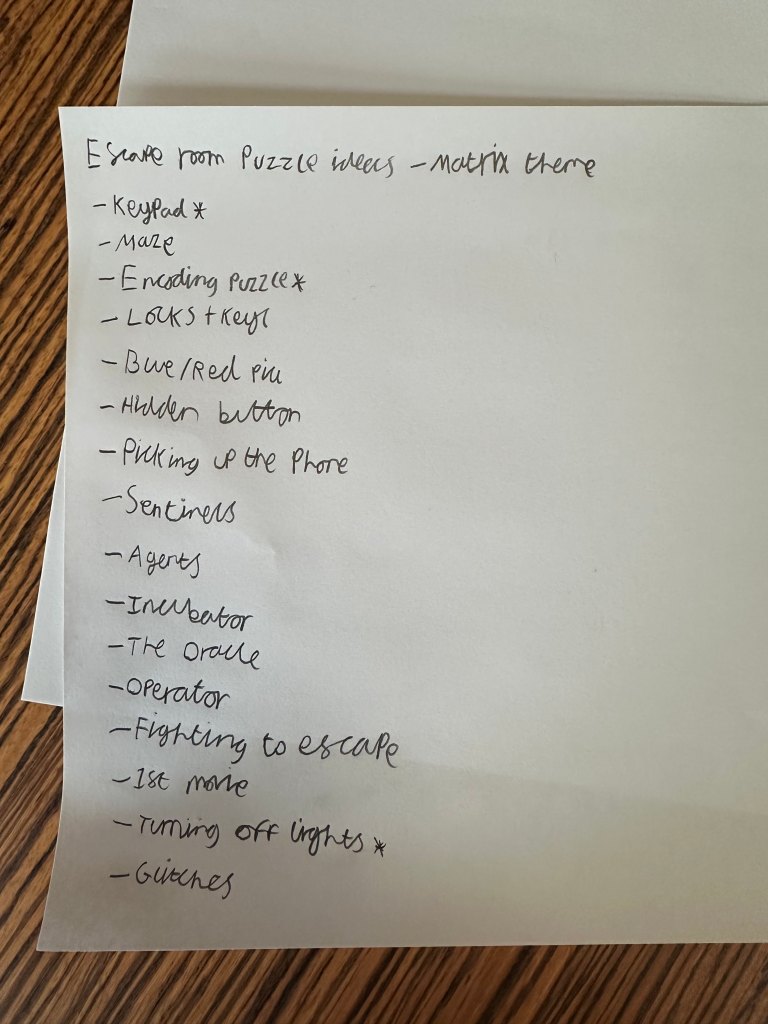
Puzzles based on various different aspects of science fiction will be present. Ranging from simpler puzzles, i.e. connecting the coloured wires, to more complex puzzles such as directing a current through a maze which the player must reorganise. - Art direction
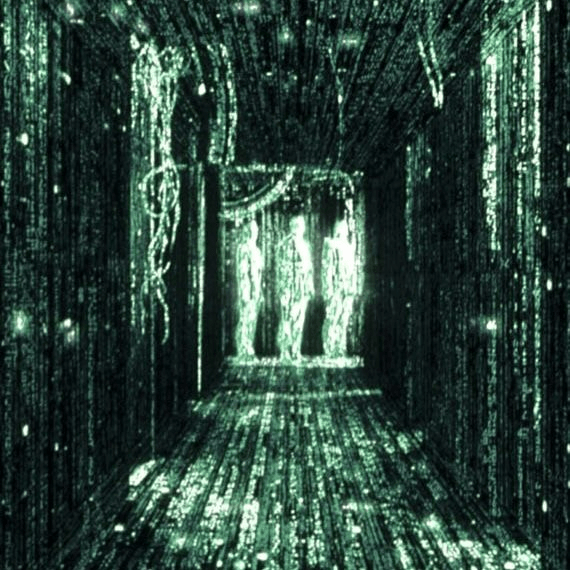
The art and aesthetic of Escape the Matrix will be inspired by the Matrix films. With a low poly aesthetic and moody lighting, the atmosphere is designed to be oppressive yet peaceful. - Environmental storytelling
Escape the Matrix will use strong environmental storytelling to convey the lore for the players who are interested. This will include; audio logs, visual clues and hidden texts which can be found. While in a few key moments, these may be helpful for puzzles, they will largely be optional side content.
Influences:
- The Matrix films
- The Legend of Zelda series
- Portal*
- The Exit 8*
- The vanishing of Ethan Carter*
- What remains of Edith Finch*
- Firewatch*
* Play/Watch list
Level design
The level design of Escape the Matrix will be largely linear, with a few optional areas. The structure will be based on solving the puzzles of different rooms.
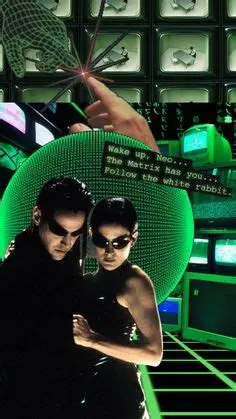
Puzzles in Escape the Matrix are designed to not be too hard or overwhelming, but tricky enough to challenge a newcomer.
Pacing
The pacing of Escape the Matrix will be satisfying for the player. It will have a focus on trying to ensure that puzzles do not take forever to solve, whilst also being memorable and challenging enough. The player will have a button they can press at any time to display a vague hint. These hints will be context-sensitive, meaning that it will be different depending on the puzzle and their progress in said puzzle.
Story & World
The story of Escape the Matrix revolves around the player, who takes control of an unknown soul who wakes up in the matrix. The backstory behind the escape room sequence is simple. The area the player must escape from had been abandoned for years, previously inhabited by a group of scientists trying to “crack” the matrix. While being inspired by The Matrix films, this scenario takes a few creative liberties, so it is not entirely faithful.
Mechanics
The basic mechanics of Escape the Matrix will be fairly simple. Move, look and solve puzzles. There will not be a time limit on how long it takes to finish, however, upon completion, the player will be able to see their total time.
Intro room
In the end, I decided against a basic “connect the coloured wires to each other” puzzle, as I deemed it would be borderline insulting to the players intelligence.
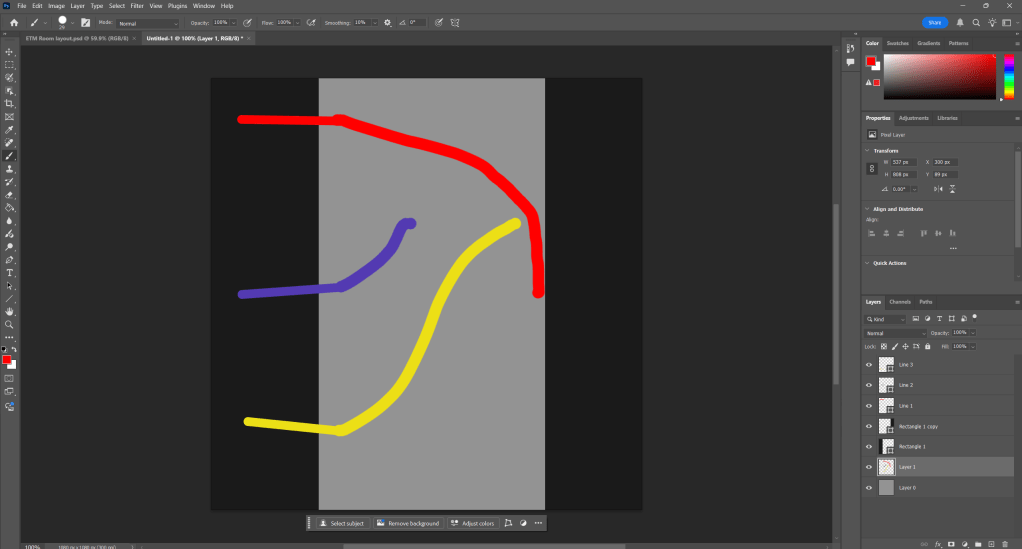
Above is a slightly more complex version I quickly made in Photoshop, in which the player would have to connect the lines without them touching each other. Again, I feel like this would be too simple for the average player.
It’s probably a good idea to go back to the drawing board with this one. I do not want Escape the Matrix to have bland, 2-Dimensional puzzles that anyone can solve in three seconds.
If I use my own personal experience of doing a real escape room, that could be beneficial to designing the puzzles here. A voice to nudge the player in the right direction when they enter the next room could work wonders.
“Welcome to The Matrix. If you want to escape, you must pay attention to everything I have to say. Follow the white rabbit.”
The intro puzzle can revolve around this quote. My initial idea involves the player holding down their right mouse button, which is indicated via a popup. This would zoom in, slow the players movement and flash an image of a white rabbit in the middle of the HUD. The player must simply face and head towards the direction of where the rabbit is hiding in order to solve the puzzle. Again, it’s fairly simple, but it’s an improvement over what I had earlier.
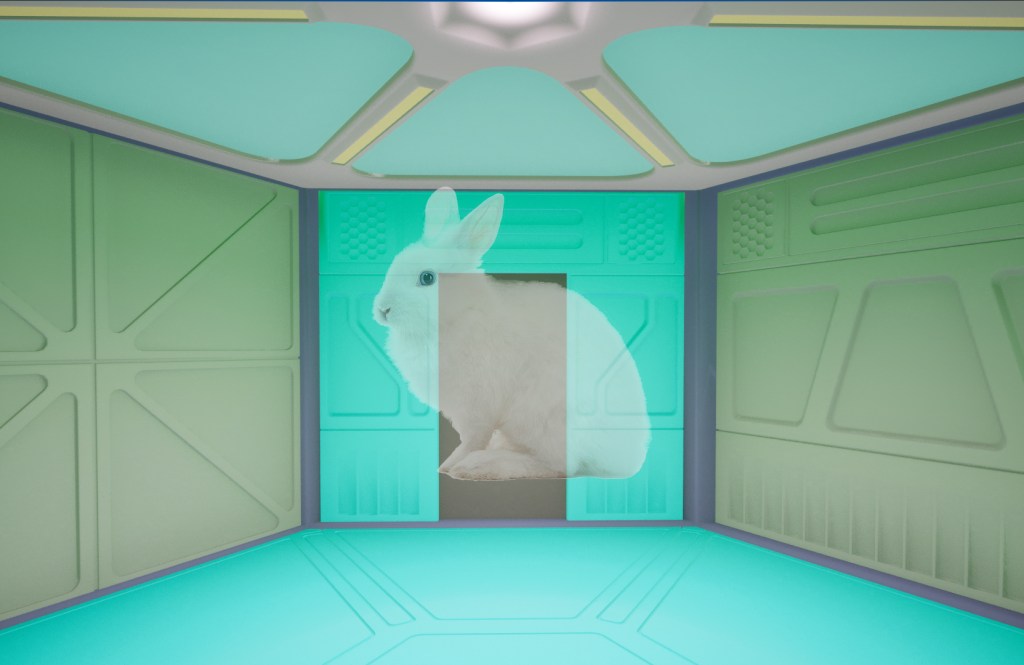
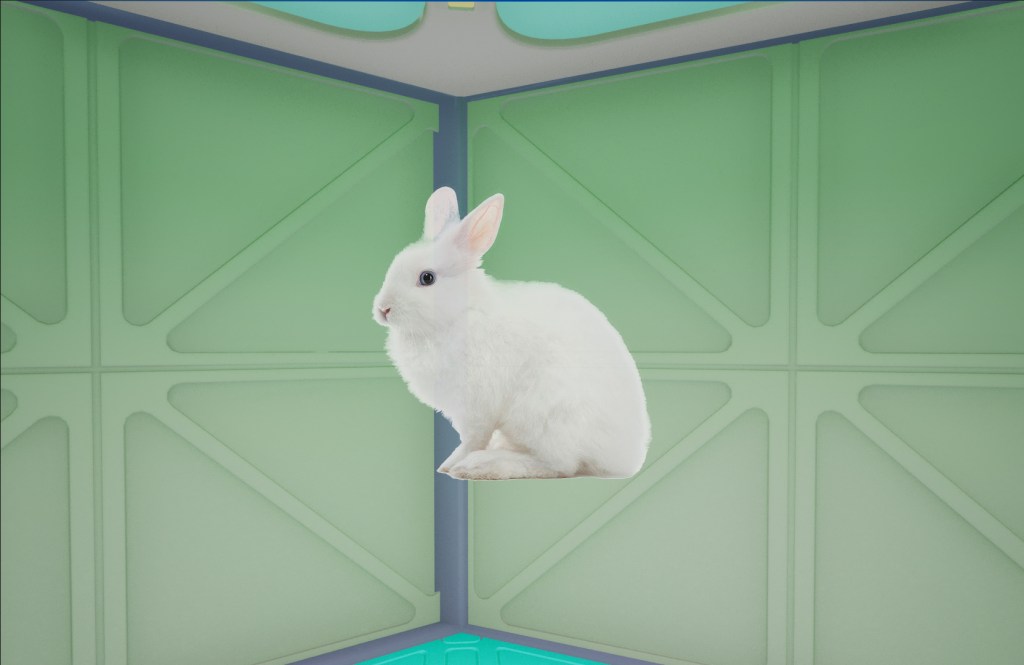
Mockups of this idea.
This could be further heightened by a beeping sound effect which would intensify as the player gets closer. Once the player is close enough to the white rabbit, they will get a prompt to press a button on their keyboard. This will open the door to the next room.
Room 1
Room 1 will be connected to rooms 2 and 3. As room 2 is an optional room, it will not be required to finish the game. However, all these optional rooms are required to get a good ranking and the “true” ending. In order to unlock room 2, the player must finish the puzzle in room 1 in a certain way.
The puzzle for room 1 is as follows. The player walks into the room. It looks like a science lab. There are a few boxes littered on the floor. There is also a pool of blood on the floor. The game will indicate to the player that they can pick up these boxes. They can also be opened by pressing a certain button. In order to solve this puzzle, the player must open one of the boxes, which contains a tippet for sucking up liquids. The player must examine their surroundings, and suck up the blood from the floor using the tippet. They are then supposed to insert the blood into a flask, of which there are many littered around the room. The player must then examine the lab equipment, find the mysterious green liquid and again use the tippet to insert it into the same flask as the blood. The flasks liquid will turn a weird colour. The player must then pick up the flask and throw it at a certain wall. The wall will be indicated by a few cracks to signal that it is weakened.
The above puzzle will be indicated to players by a short text from whoever was in this lab before them, alongside a diagram.
“Damn… it’s all gone wrong. The backup of blood we had saved has been stolen. We can’t make our explosive solution without it. What to do…”
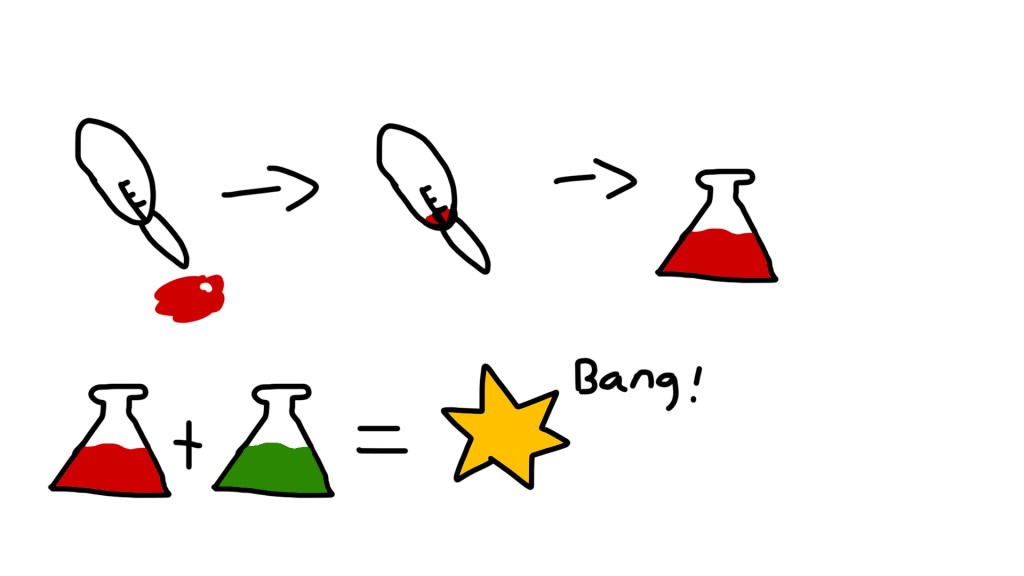
One potential concern I have for this puzzle is that it may be too obvious for the player.
One idea is to incorporate the stolen blood into a later room.
In order to unlock room 2, the player must simply make another solution of explosive liquid and chuck it at a wall which is covered in posters and diagrams. In room 2, there will not be a puzzle of any sort. Instead, there will be an audio log of the scientists from the previous room discussing their work.
Room 2
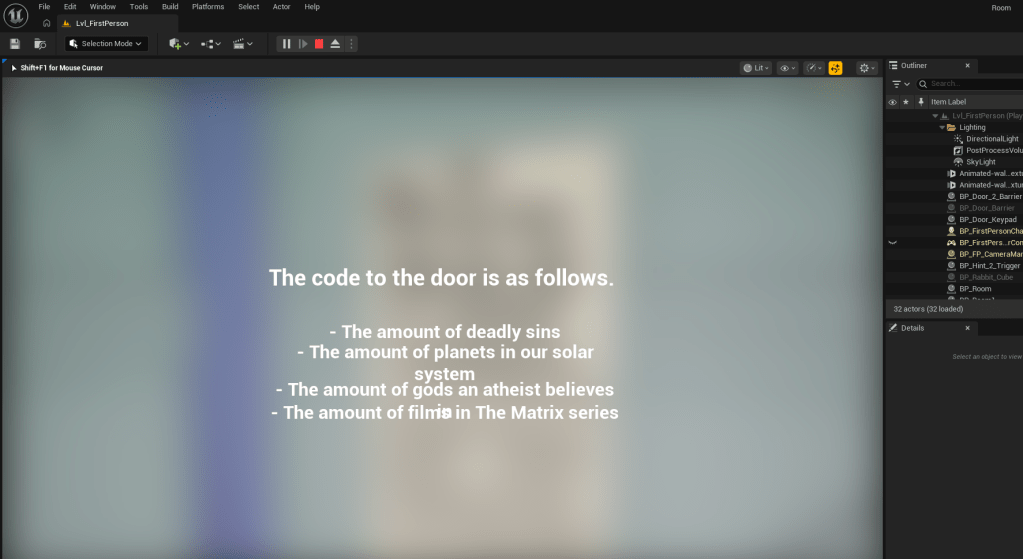
Room 2 will involve solving a riddle which provides clues to the combination the player must enter in order to unlock the door.
The riddle will be as follows:
– The amount of deadly sins
– The amount of planets in our solar system
– The amount of Gods an atheist believes in
– The amount of films in “The Matrix” series
This would mean the code is 7804. The player must input this code into the keypad in order to progress. I like this idea as it should be fairly simple to implement, whilst also being cohesive and challenging enough for the player.
Room 3
Room 3 is going to be a maze which the player must navigate. A maze may sound annoying for some players. However, the player will be guided towards the goal using subtle lighting.
Development log
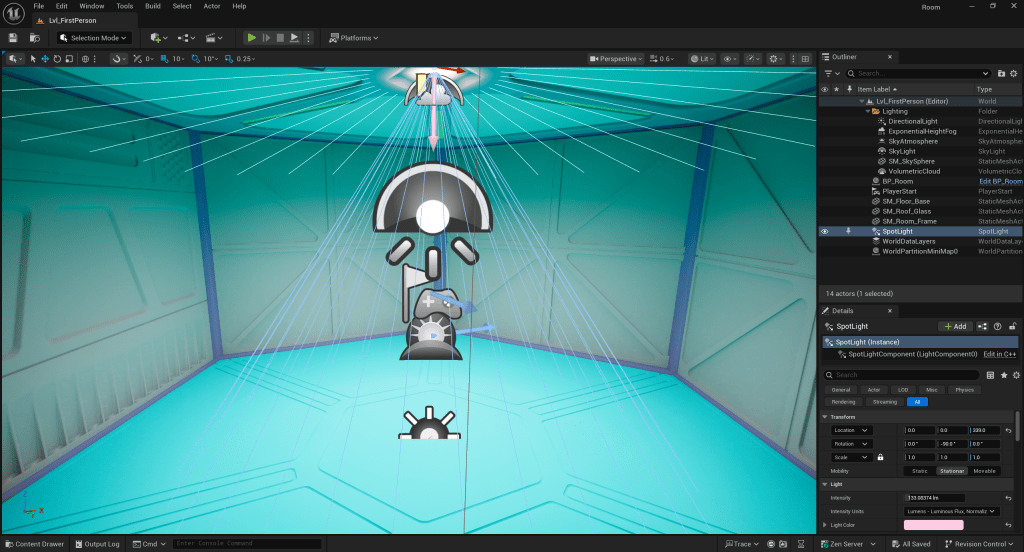
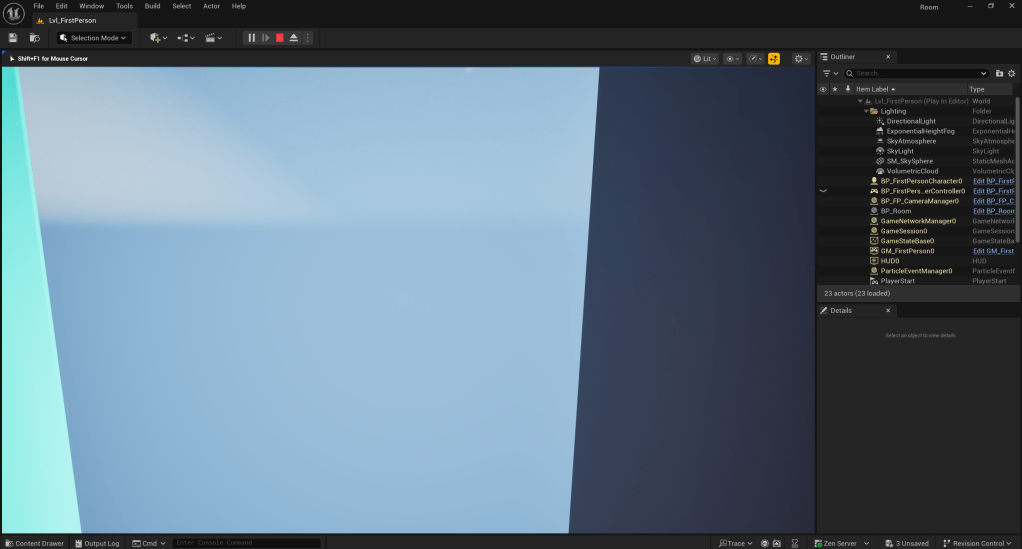
The very first prototype, made using Unreal Engine. The player can’t go through the door in this version, hence it barely works as intended.
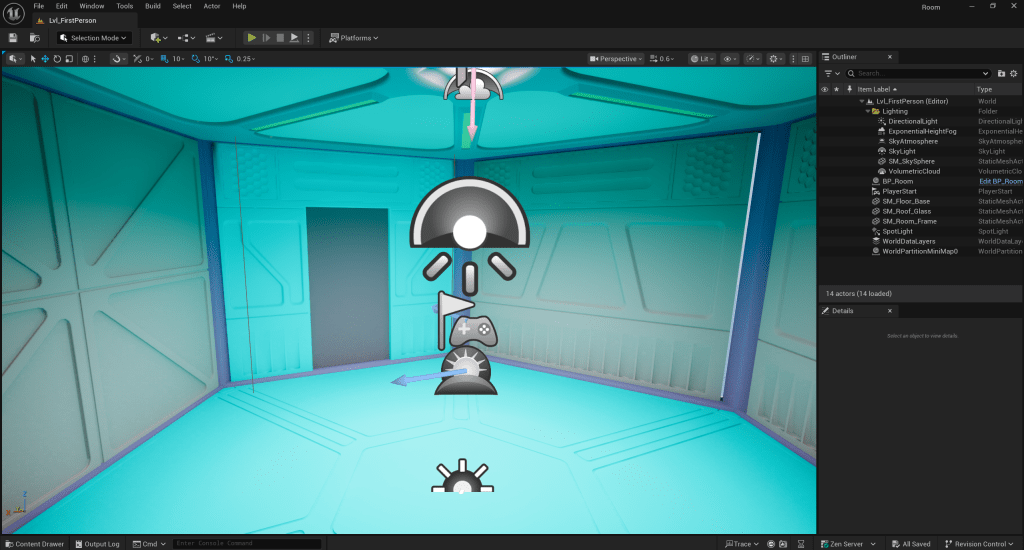
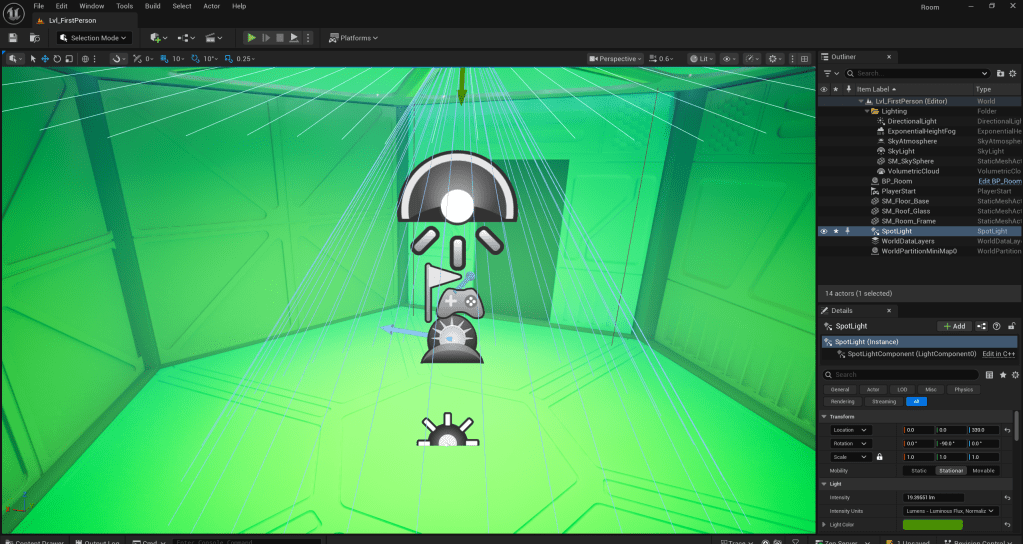
Messing around with lighting.
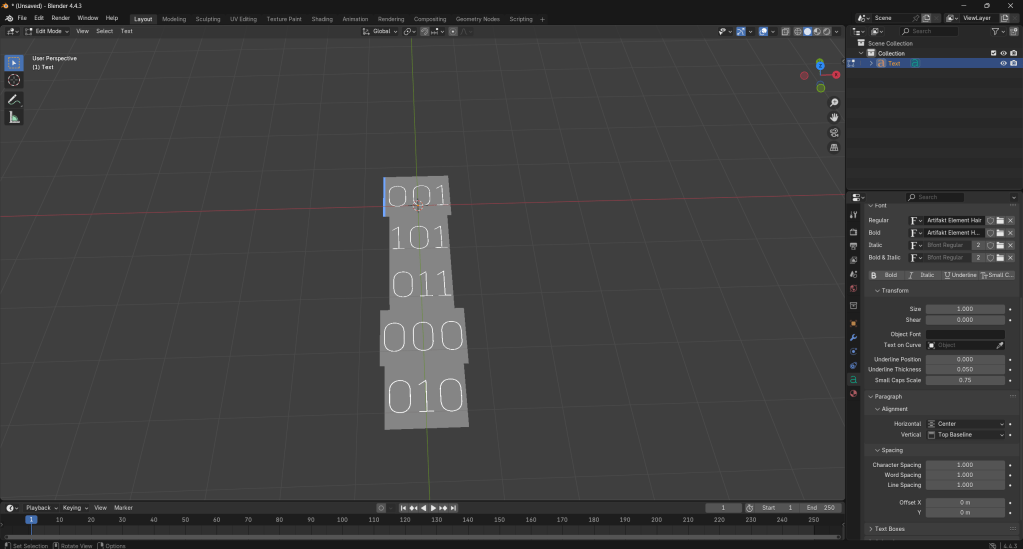
I am working in Blender to try come up with some assets.
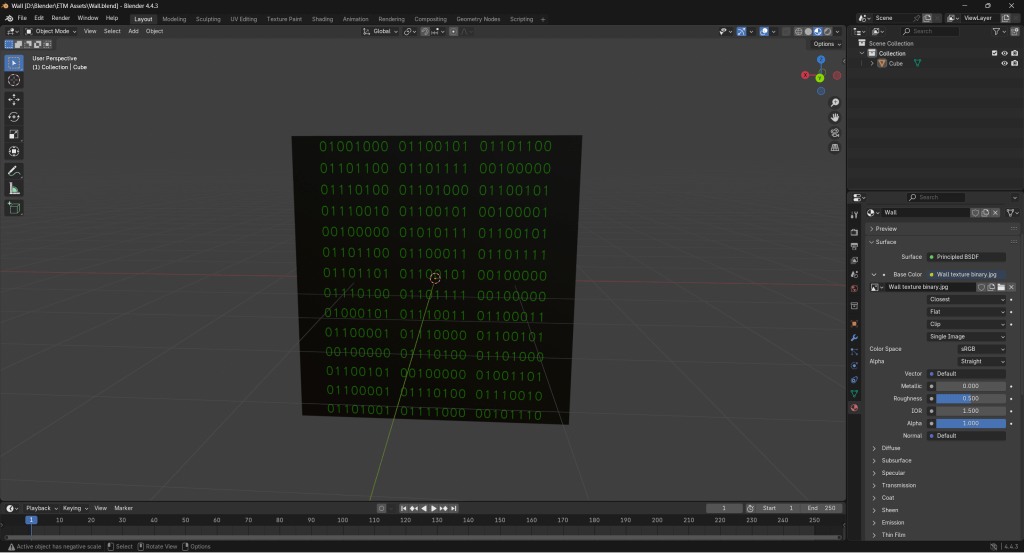
I eventually came up with this wall using a texture I made in photoshop. While coming up with this, I had the idea to leave secret messages for the player written in binary for those dedicated enough to translate them. Obviously, a lot of players would miss this, but it would get the community involved if the game had a few easter eggs.
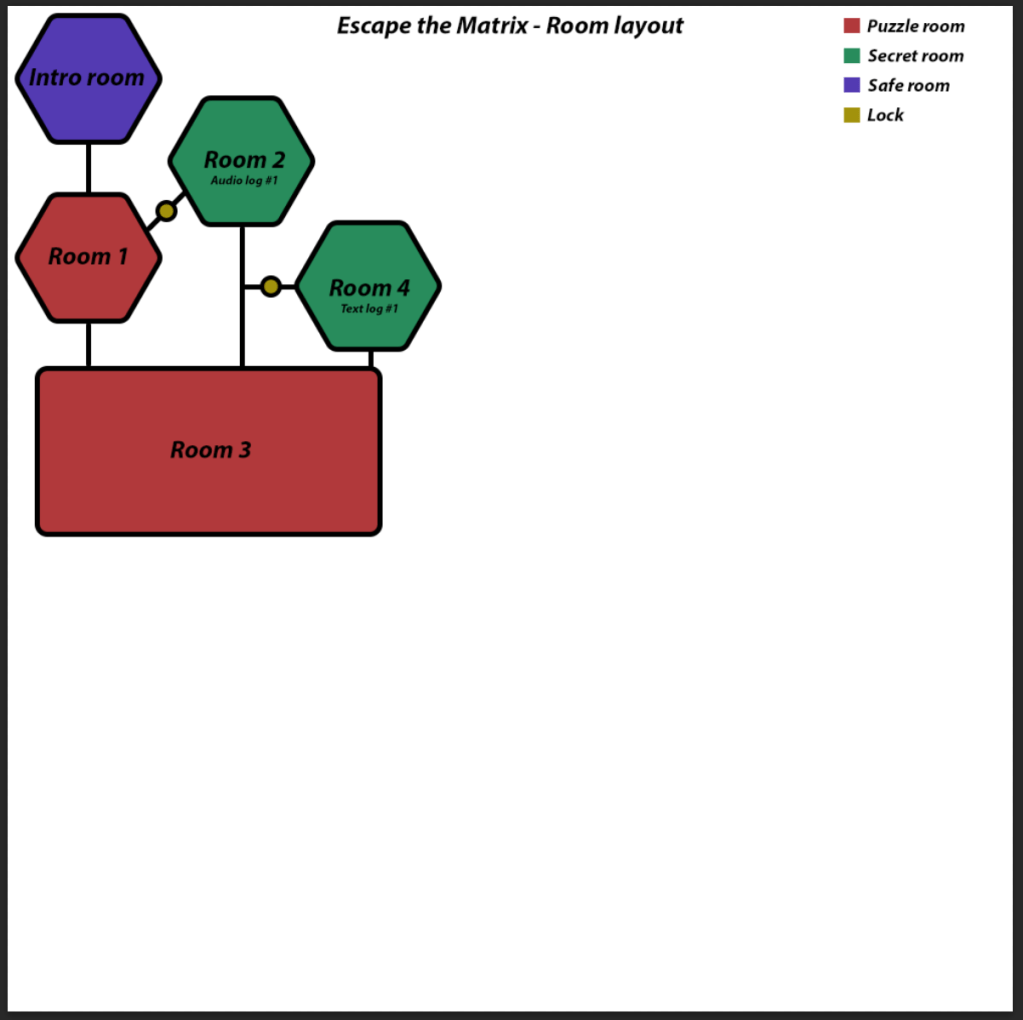
Above is an early map for Escape the Matrix. It is obviously not fully filled out, but it is a good start. The smaller rooms will be hexagon shaped, while the larger rooms will be rectangle shaped. This is to help differentiate between the sizes and give the rooms a distinct feel.
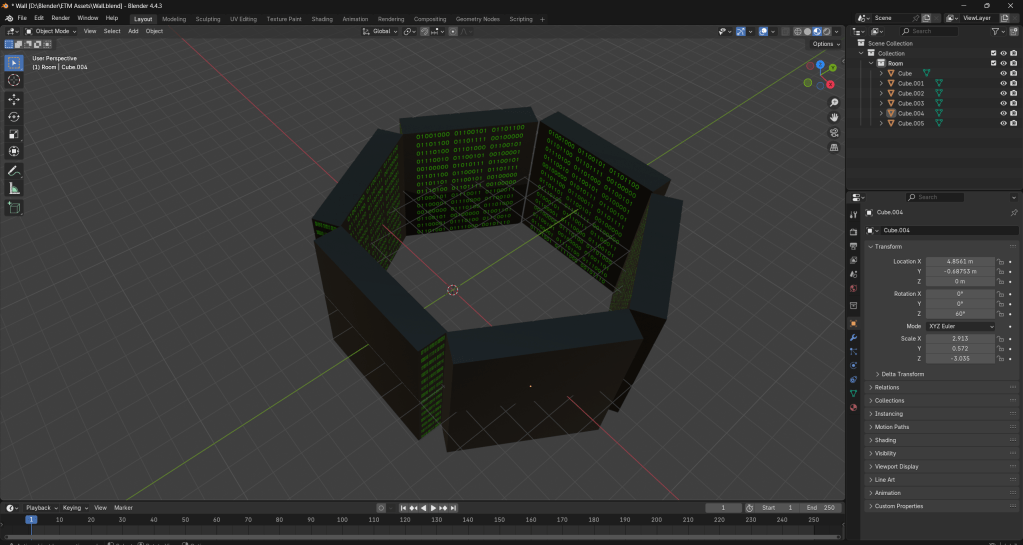
This is a very early prototype of the beginning room. Again, it is obviously not finished and lacking a lot of detail and features, but it’s my starting point.
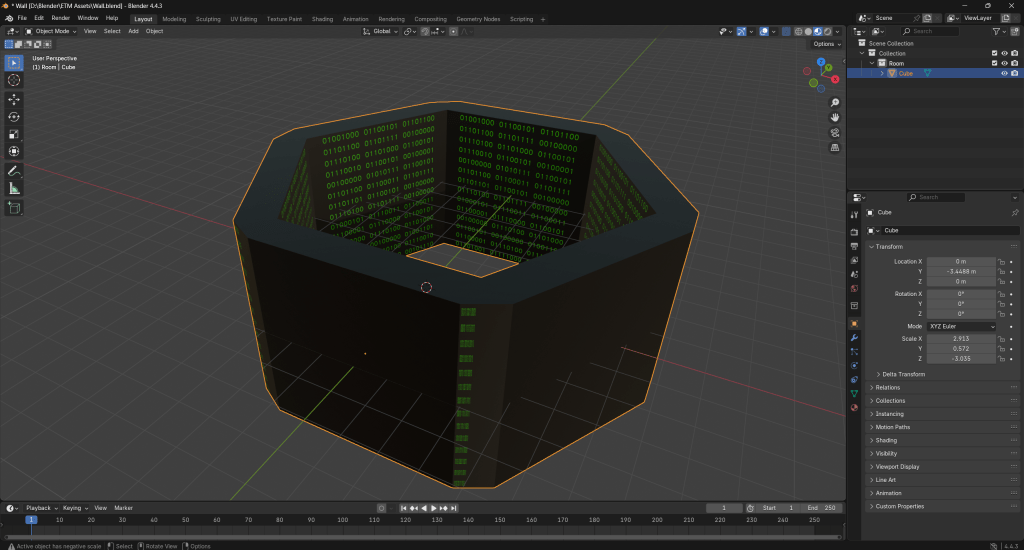
It looks a lot better after filling out the edges by joining the meshes, creating new faces between the edges and rounding out the vertices. The textures are still messed up.
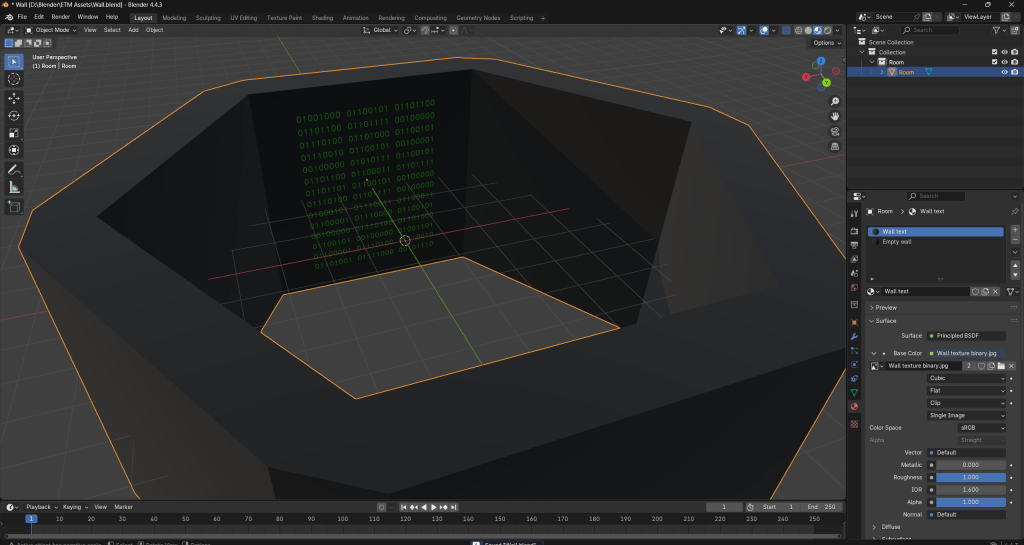
I fixed the textures by only assigning the “Wall text” texture to a single wall.
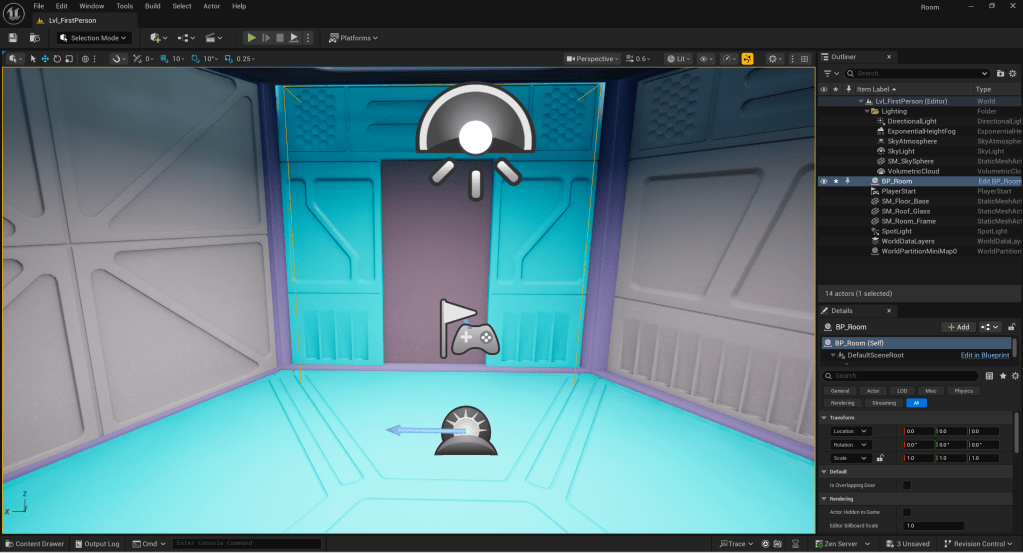
After a lot of trial and error, I have finally managed to get my door to work (roughly) as intended.
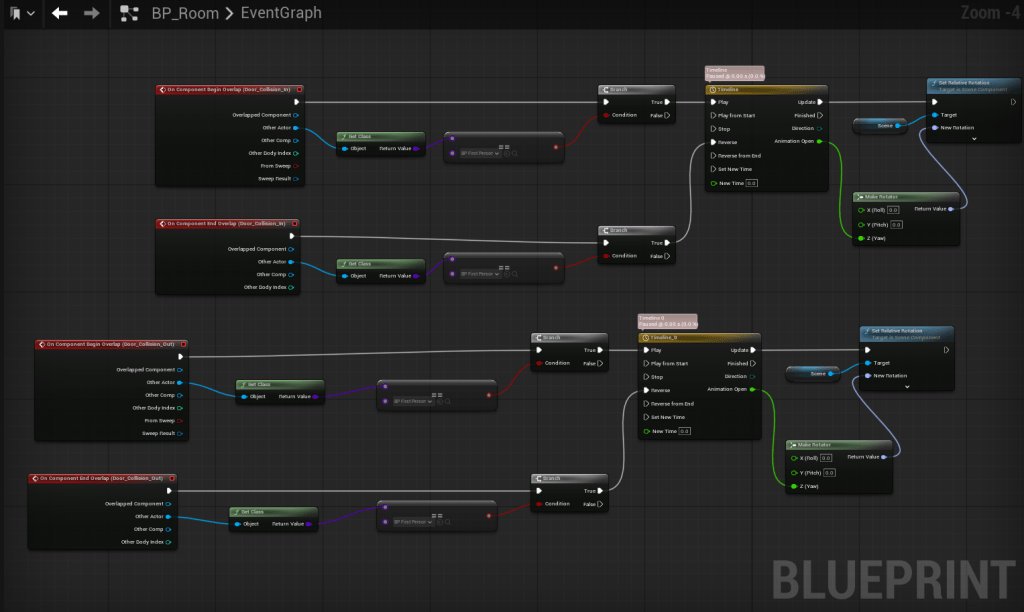
A screenshot of the blueprint for the doors.
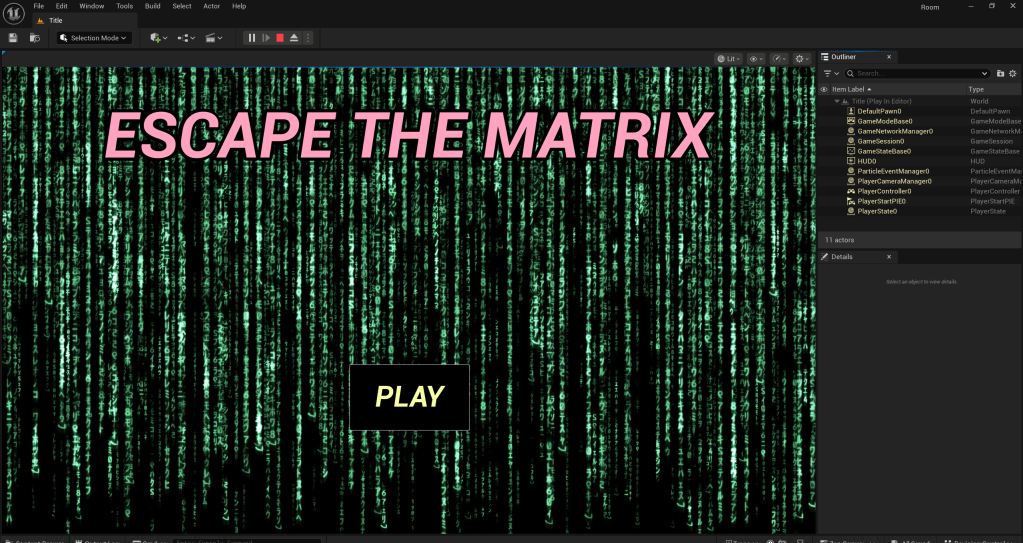
I have implemented a makeshift title screen for Escape The Matrix.
While I’m on the topic of UI, I am going to quickly make a splash screen which pops up after the title which explains the controls. I will be using a mouse icon I downloaded from flaticon: Computer mouse – Free technology icons.
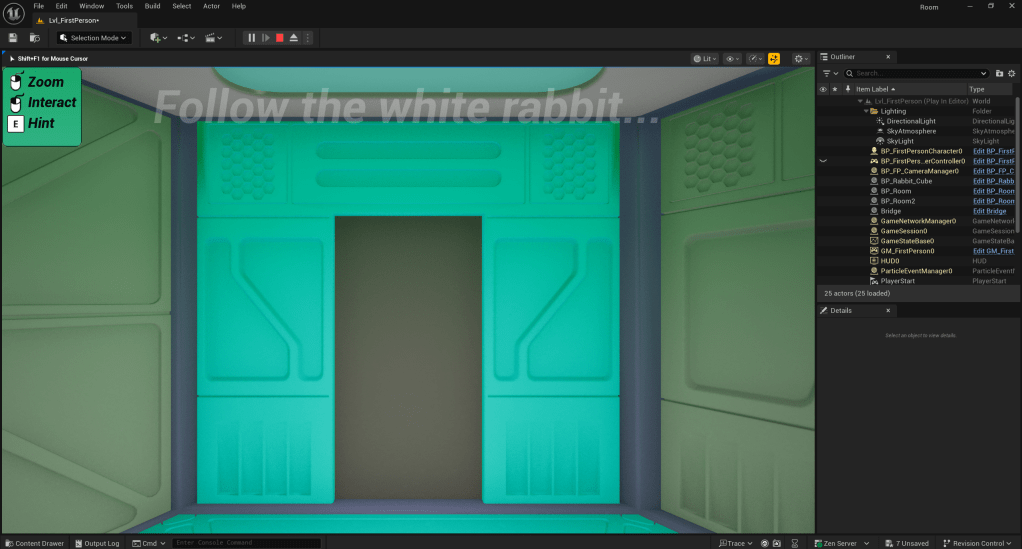
I have set this tooltip to disappear after 5 seconds.
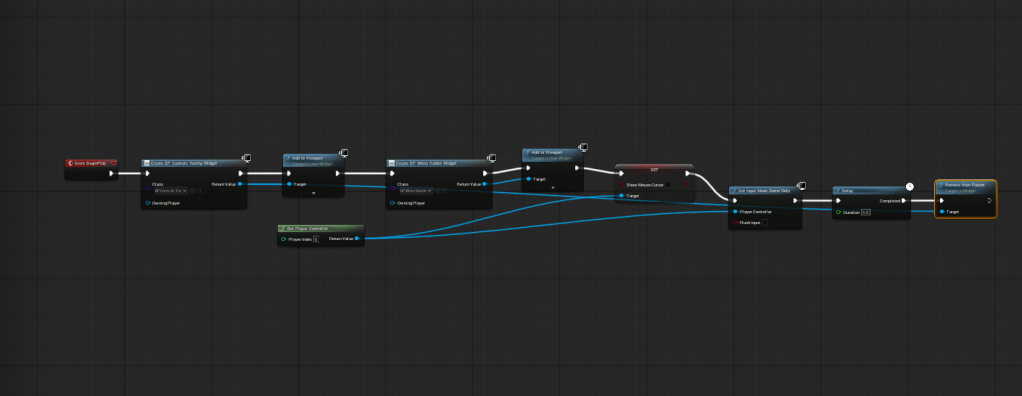
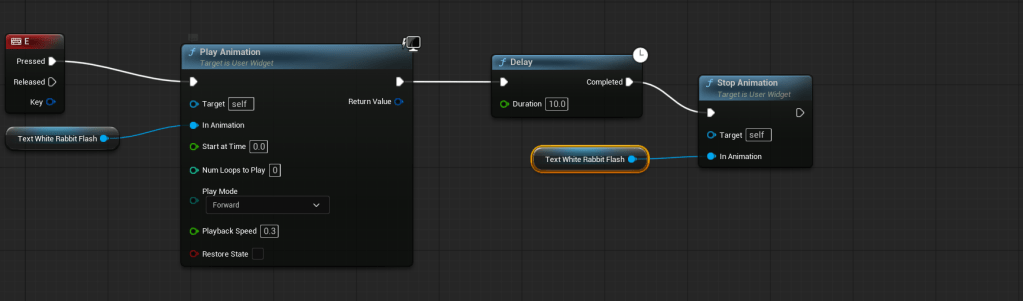
When the player presses the E key on their keyboard, a hint will pop up.
Room #1 Puzzle
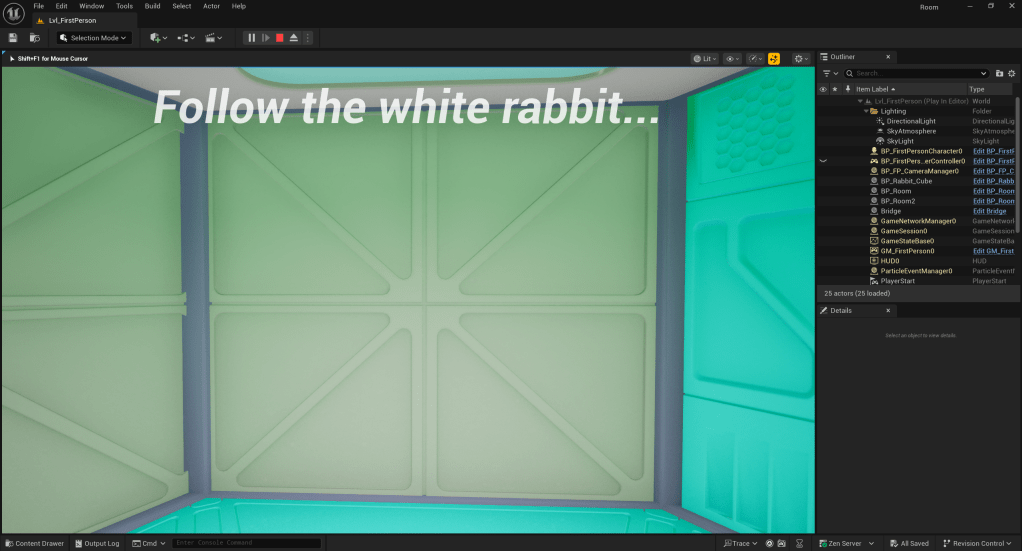
06/11/25
This puzzle functions, or is going to function, once it is finished, as follows: The player must walk towards a specific point in one of the corners of the room. Once this happens, a white rabbit will begin to flash up on screen, as demonstrated below. The player will need to left click while the rabbit is still on screen to unlock the door.
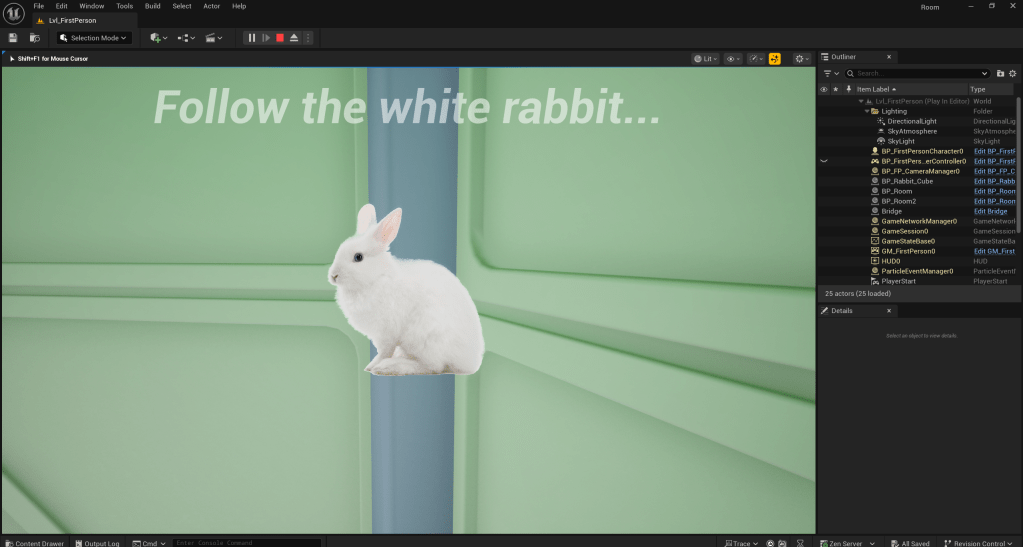
07/11/25
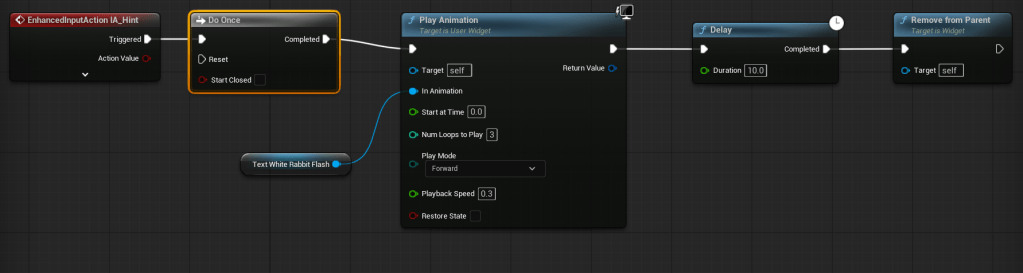
By this point, I have loosely set up the first puzzle. I have managed to get it so that my rabbit only appears when you walk over a specific trigger. Additionally, I have set up a system so that when you interact with the white rabbit, a message pops up telling you that you hear a click. This does not do anything yet, but it will be incorporated into the puzzle of the first room. I also set up a hint system, bound to the ‘E’ key, which, whenever pressed, will flash a hint on screen for the player.
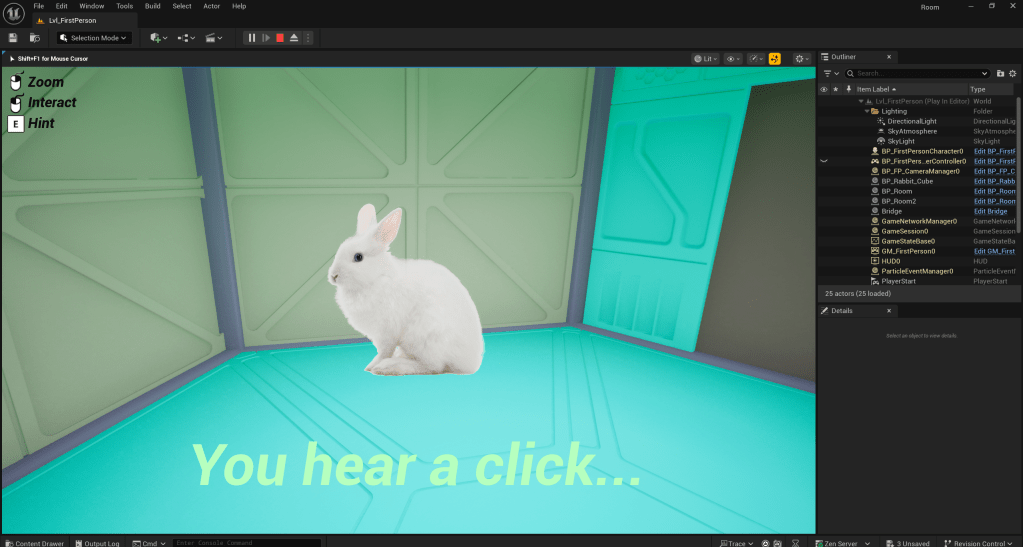
The message signifies that the door has been unlocked, although I have not yet implemented this.
13/11/25
As of writing, the puzzle for the first room is more or less done. When the player interacts with the white rabbit, an invisible barrier will be deleted from the world, and the rabbit will disappear from the screen.
14/11/25
I have managed to set up a system so that the hint(s) will only appear on screen once, as opposed to being able to call them whenever the player needs. The counter will be reset whenever the player enters a new room.
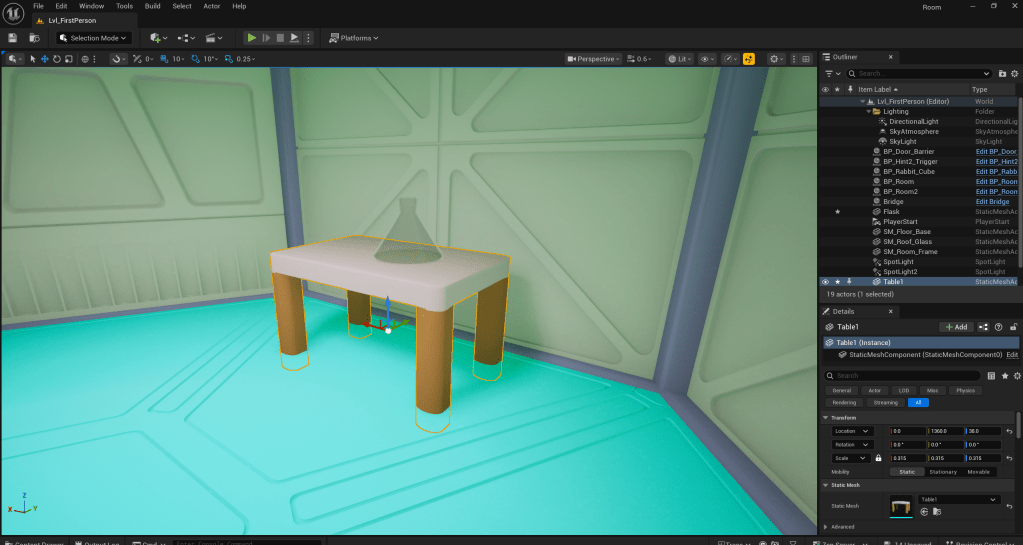
A basic model of a flask and a table I made for the second room.
W/C 24/11/25
As of writing, I have set up my hints system so that the current hint disappears once the player has finished the room they are in.
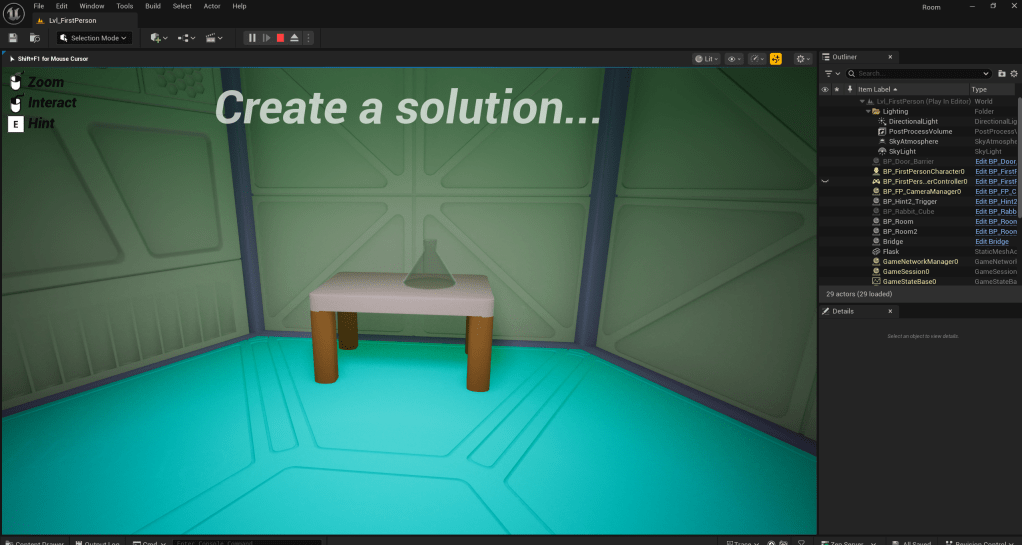
W/C 01/12/25
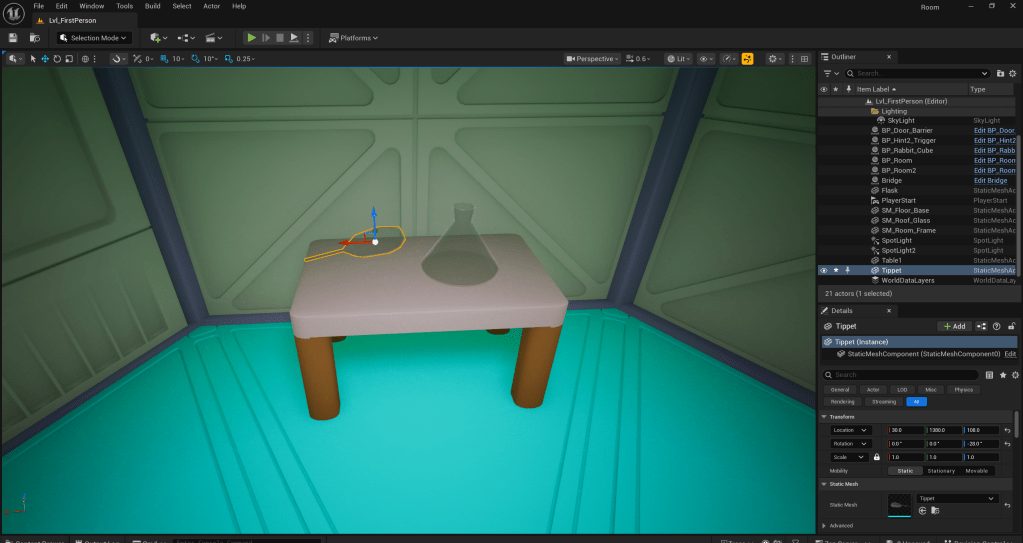
A tippet model I have made for my second puzzle.
Next up on the chopping block for my escape room is interacting with items whenever the player is in the appropriate position.
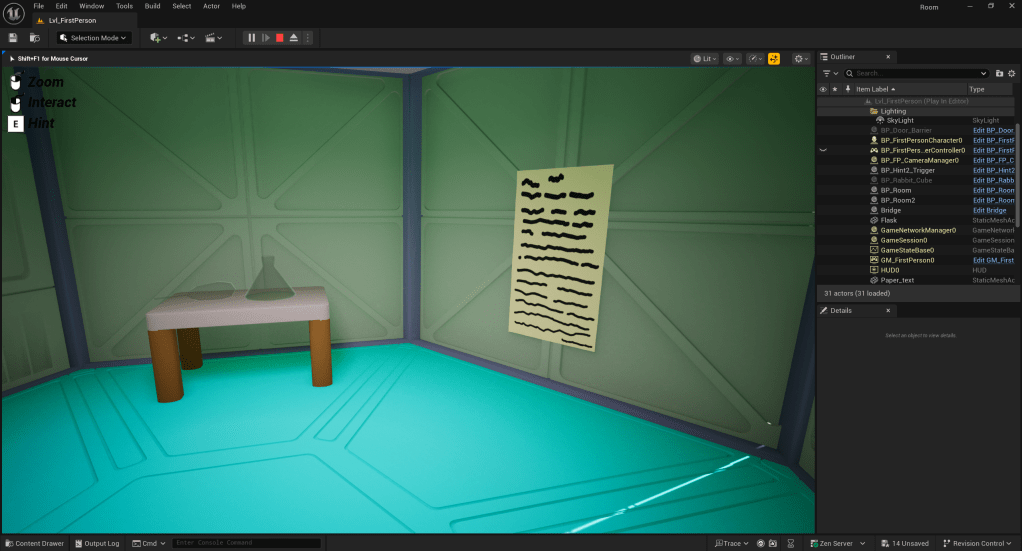
As of writing, I have added a new widget blueprint that blurs the screen whenever the player gets close to the paper on the wall. I also need to add the text and make it so that the player can only read the text when they are facing it.
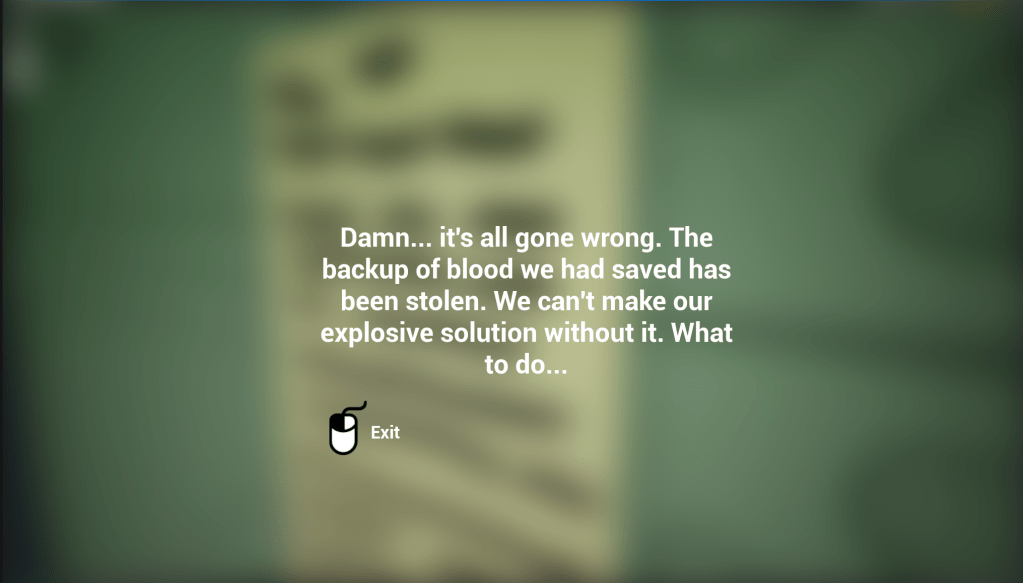
As of writing, this text is triggered whenever the player gets close to the piece of paper. It is not dependant on player rotation as I struggled to get it working. However, I will fix this later, dependant on time.
While working on it, I have managed to get the text working so that whenever the player is looking directly at it and presses the left mouse button, it will be displayed on screen. Player position is not taken into account, so it is essentially the opposite problem as before. While my current solution is not ideal, I am happy with it for now.
I have managed to set it up so that the text only triggers when the player is within range of the text, looking directly at it and presses the left mouse button. The only major caveat to my current setup is that whenever the player looks away, the text remains. However, the text will disappear whenever the player leaves the area.
W/C 08/12/25
Today, I would like to focus on touching up a few details of my game. First up, I am going to create a wall with an animated texture which reads: “Escape The Matrix…”, written in binary. (The text will be converted using Text to Binary Converter from RapidTables.)
After some messing around in Photoshop, I have come up with the following basic animation:
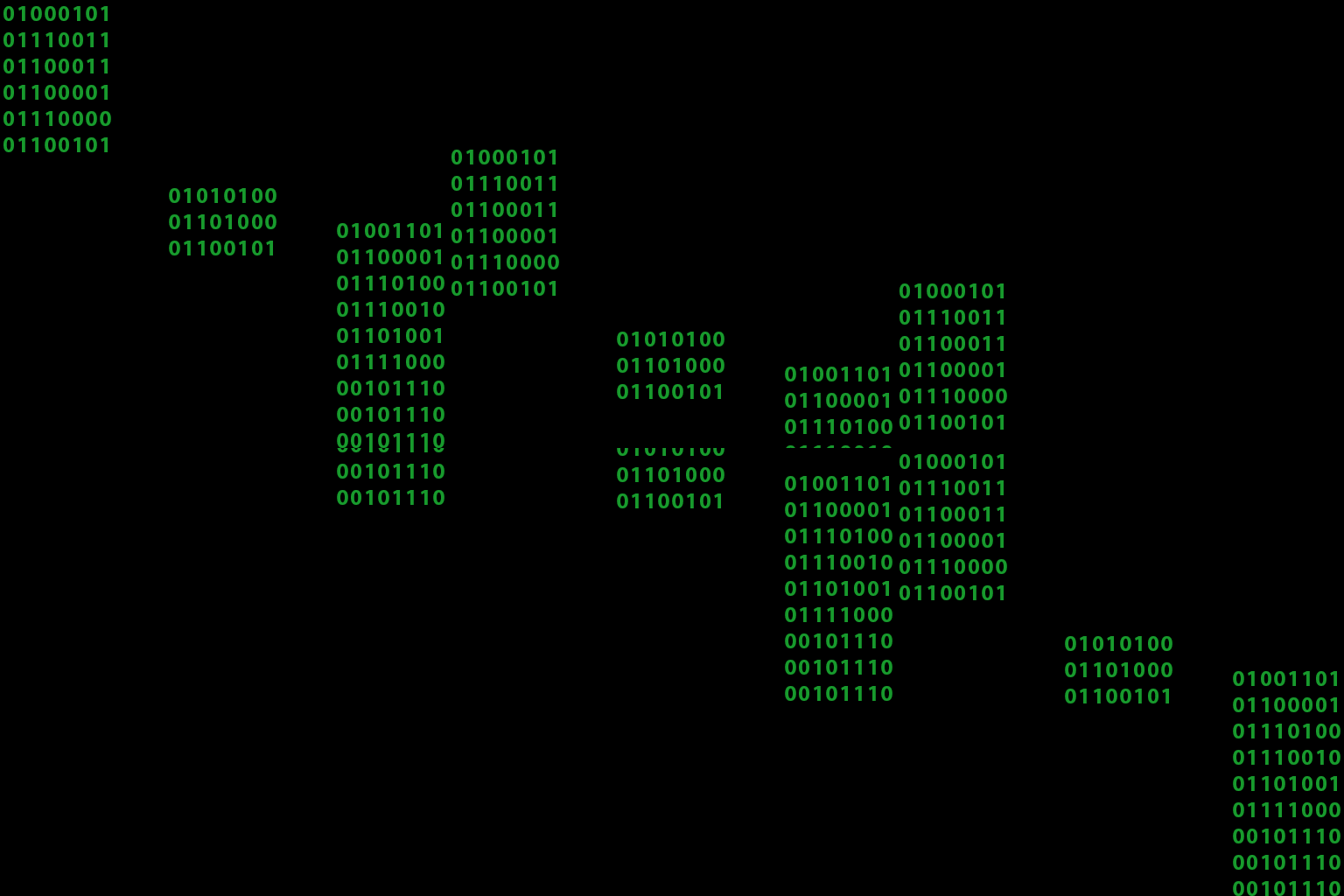
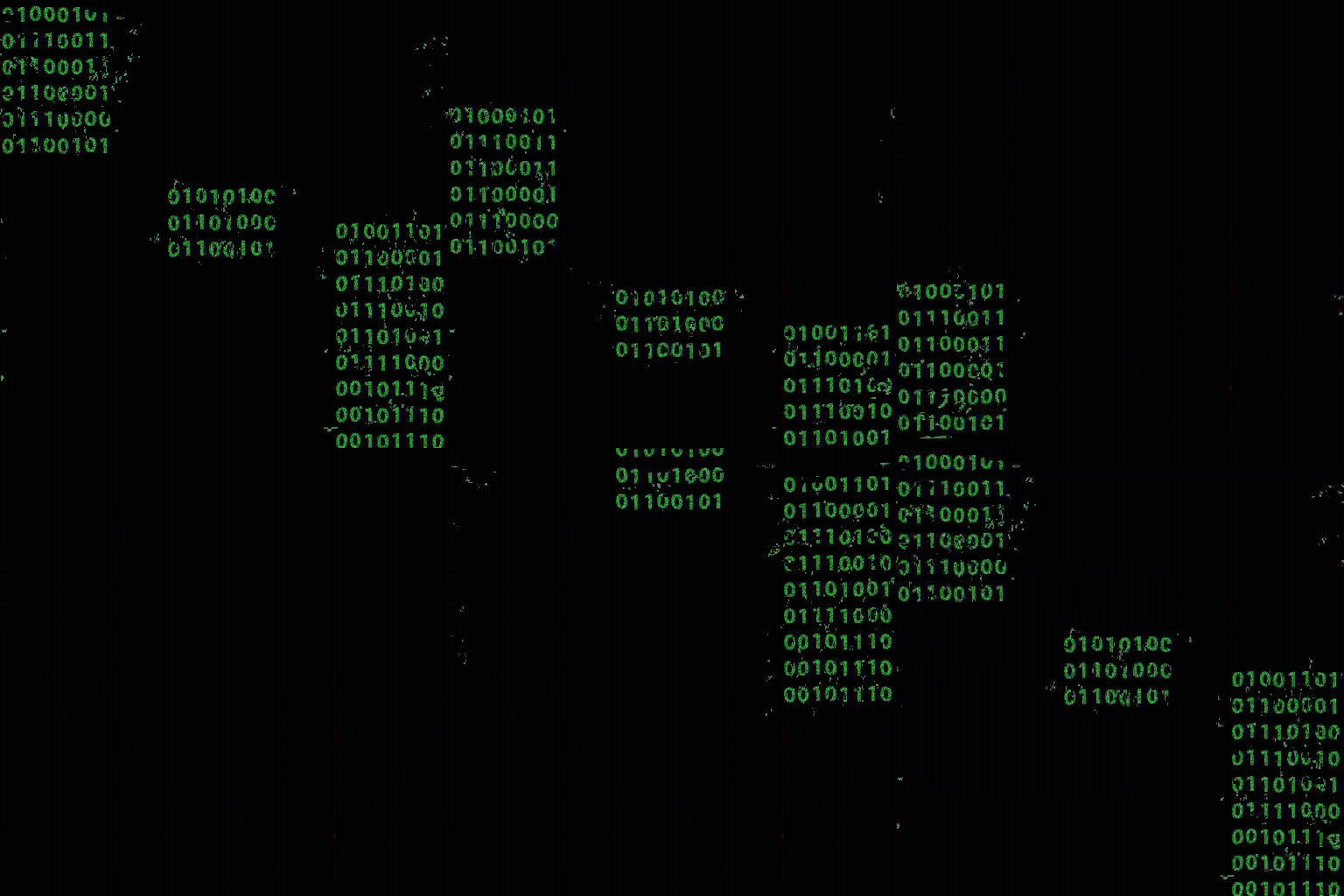
After adding some effects in Premiere Pro, I achieved this version. It looks a lot less “clean”, which is the effect I am going for.
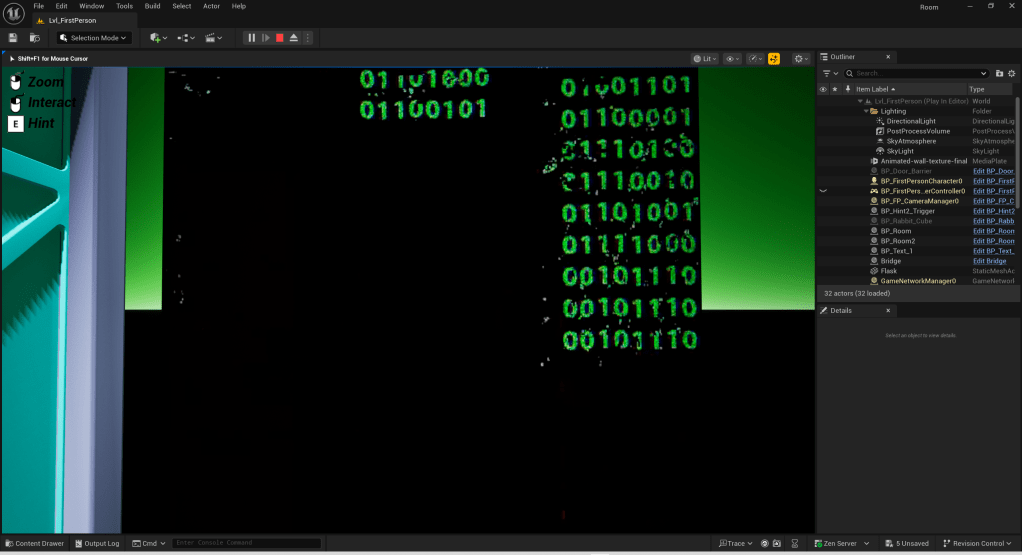
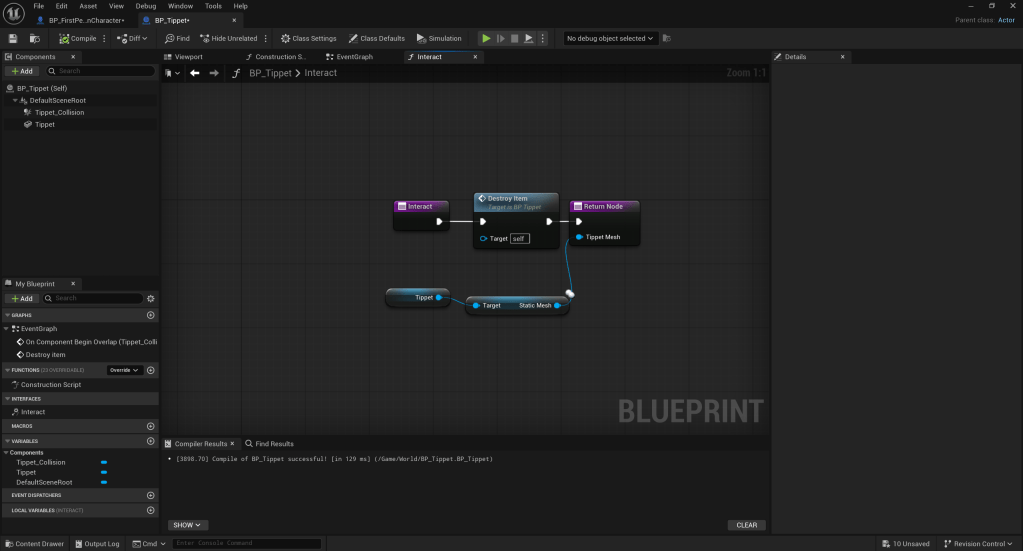
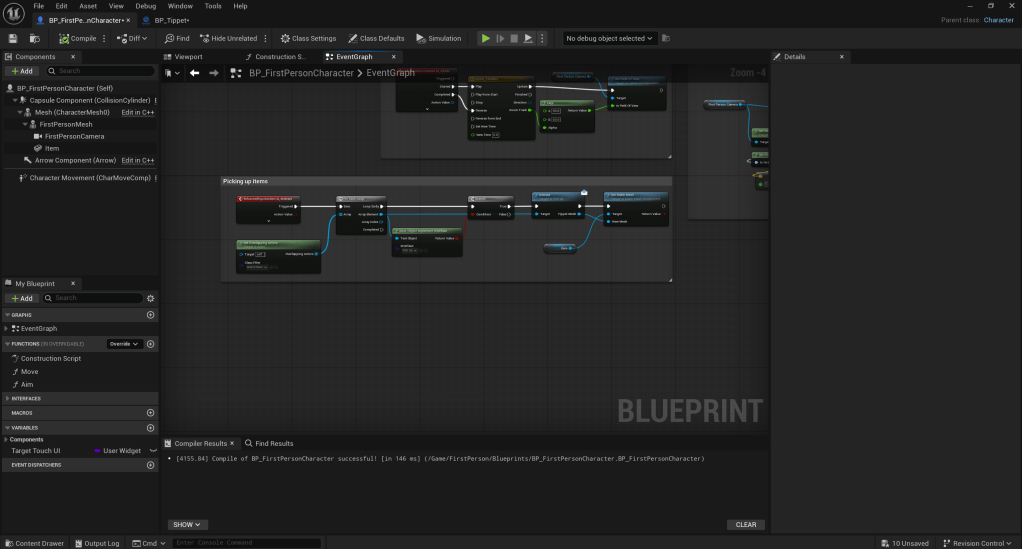
The screenshots above are of my blueprints, which serve as a method of the player picking up an item.
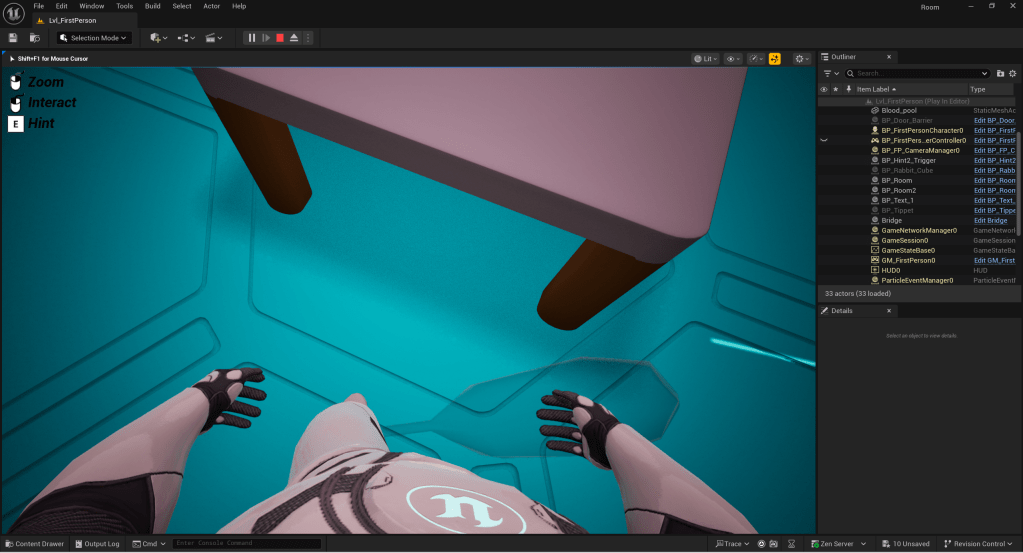
As is clearly visible, it doesn’t look great, but it will do for now.
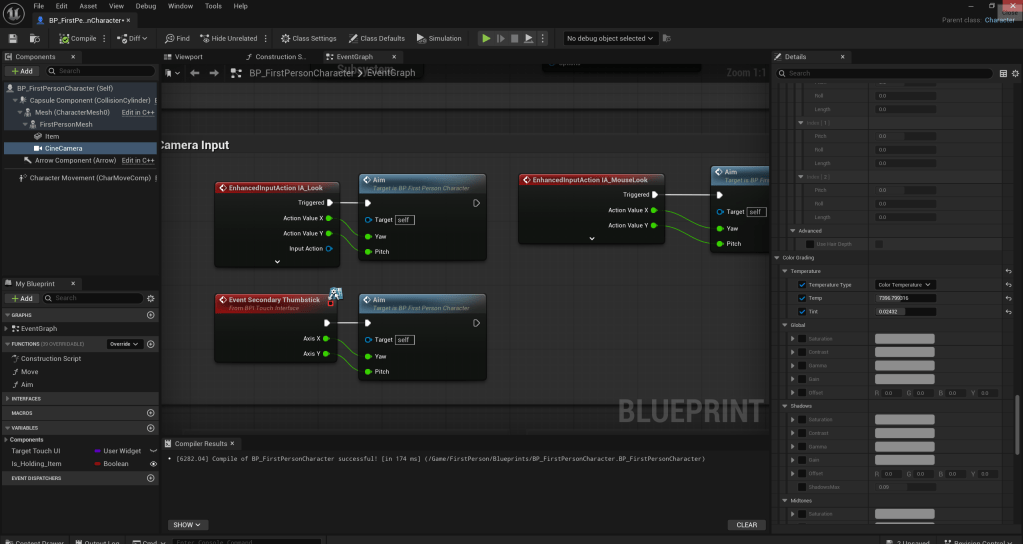
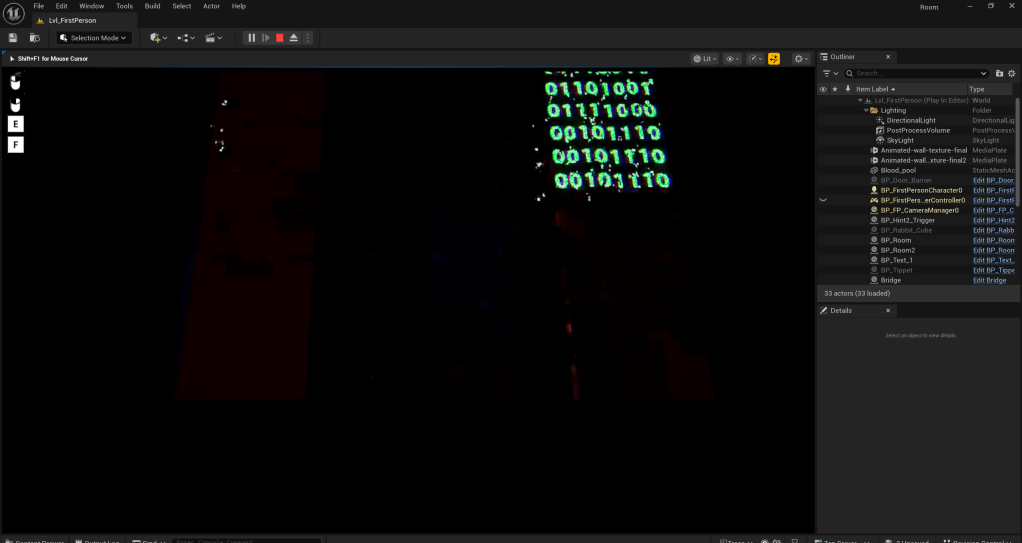
Here, I am messing about with different camera filters and settings.
As of writing, the item dropping is completely broken. What I believe is happening is whenever the player picks up an item, it triggers the Is_Holding_Item boolean variable. This, in turn, allows the player to use the “Drop item” button, which is bound to the F key at this point in time. When the player presses this key, it appears to remove the floor or the room the player standing on at that point.
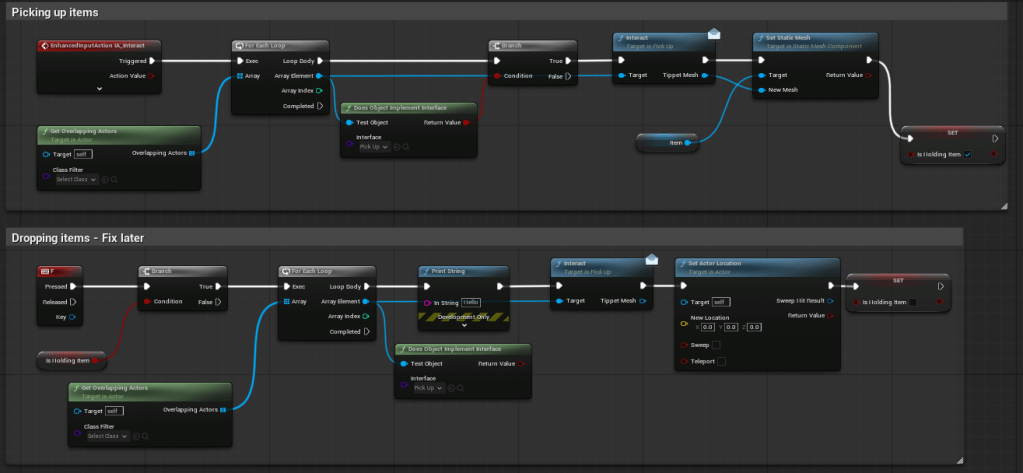
W/C 15/12/25
My current hypothesis on why this happens is, because the mesh is connected to the player, it might reset the player’s position in the world when the tippet is destroyed.
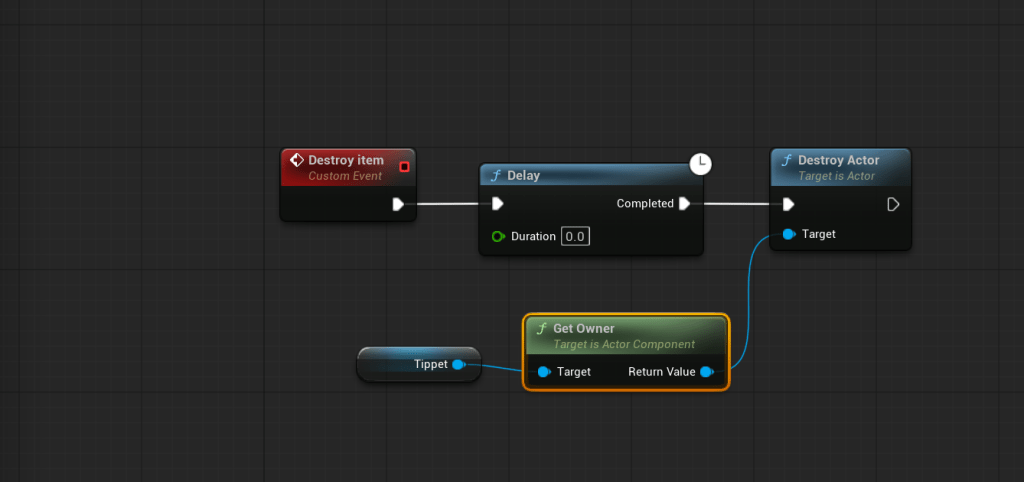
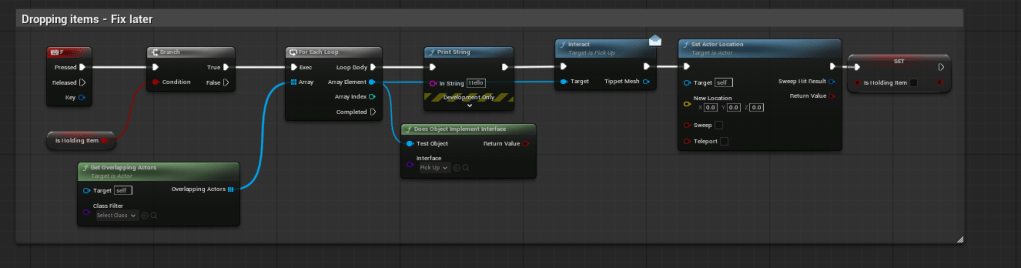
As it turns out, the code above appears to reset the player’s position whenever they press F whilst holding an item.
W/C 22/12/25
As of writing, I have scrapped dropping items as I deemed it unnecessary.
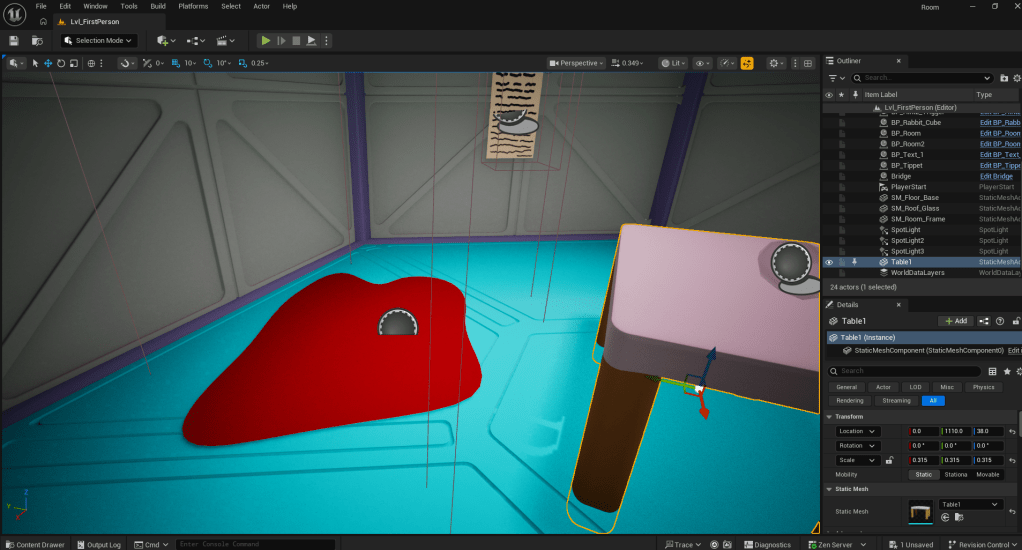
What’s left for this room is to add the functionality to allow the player to suck up the blood using the tippet on the table.
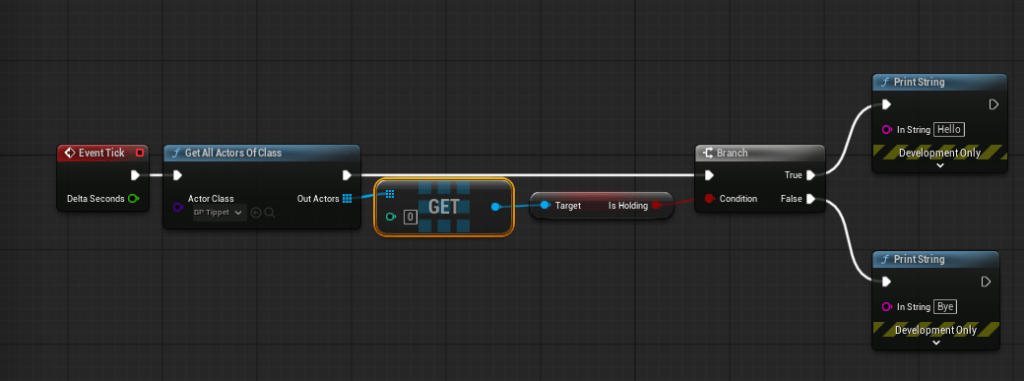
The screenshot above showcases the blood pool blueprint. It essentially grabs the “Is_Holding” variable from the tippet blueprint and prints a different message on screen, Hello or Bye, depending on whether the player is holding the tippet.
W/C 29/12/25
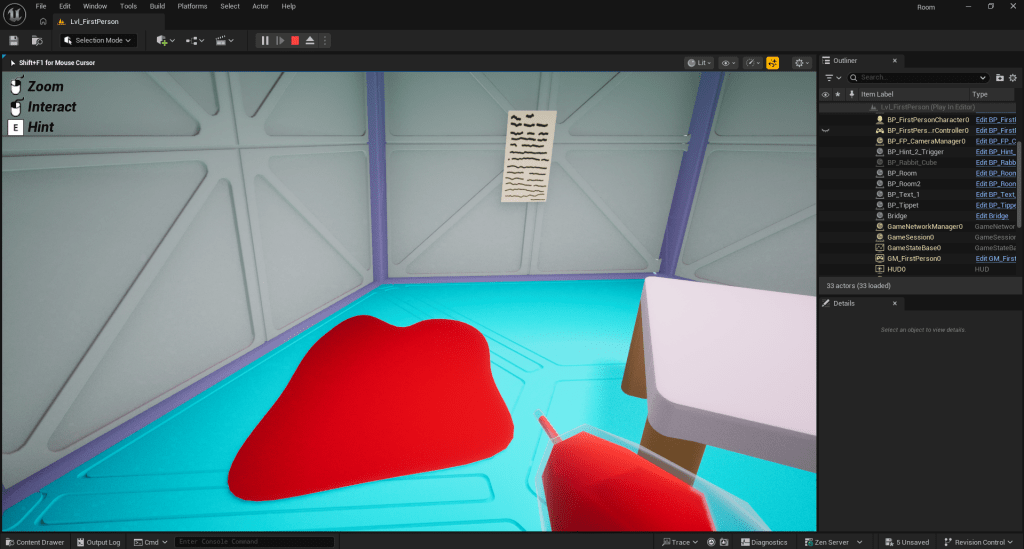
When the player picks up the tippet and interacts with the blood pool blueprint, the mesh swaps to an alternate version of the tippet mesh which is filled with blood. This is essential to the puzzle.
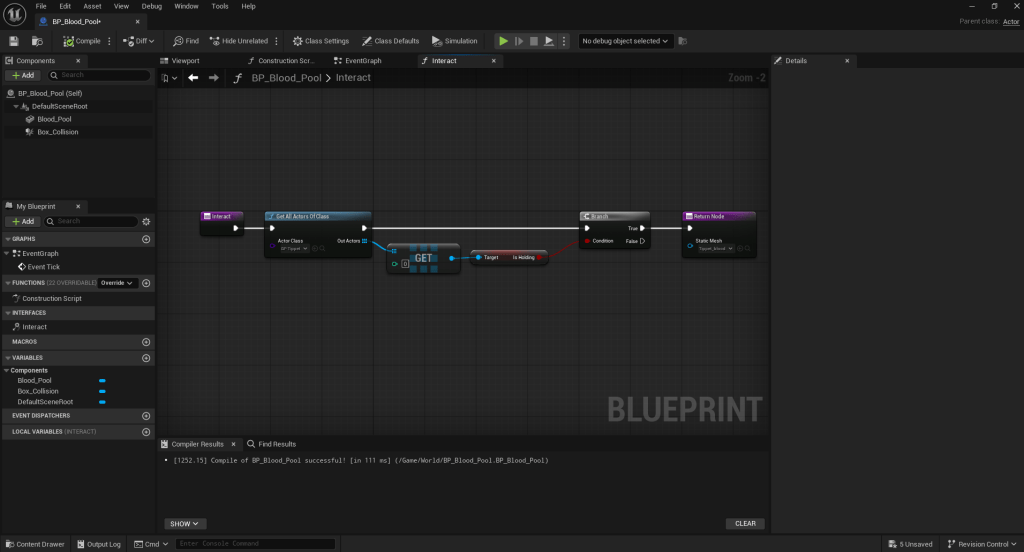
When the player picks up the blood, they will be able to mix it in a flask, which they can then pick up and throw at a cracked wall to break it.
W/C 05/01/26
I have come to the decision to scrap this puzzle and replace it with something entirely new. As much as I hate to give up in the face of adversity, this puzzle was taking up too much of my time and otherwise, I might not get my escape room finished on time.
W/C 12/01/26
My last two rooms will consist of a keypad puzzle and a maze puzzle respectively.
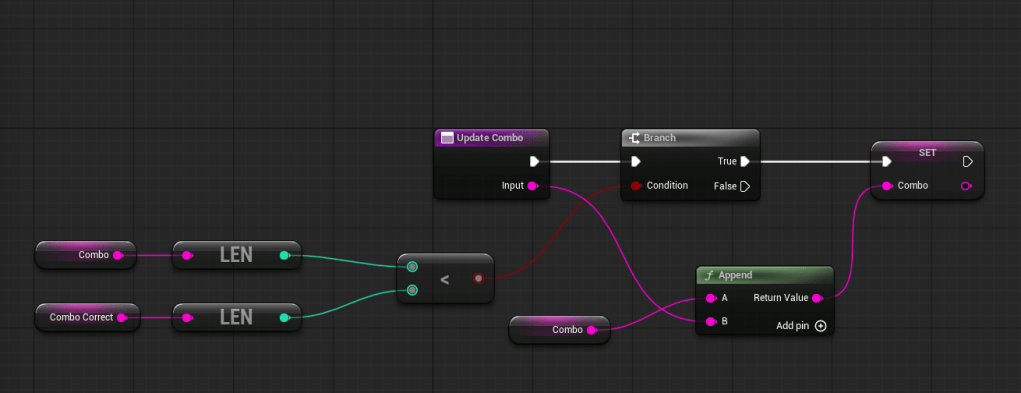
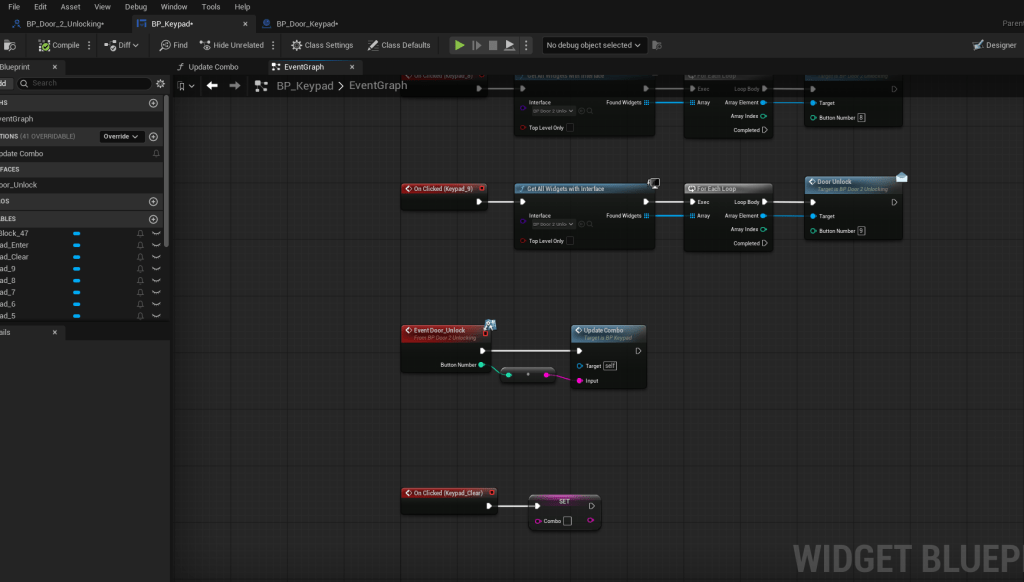
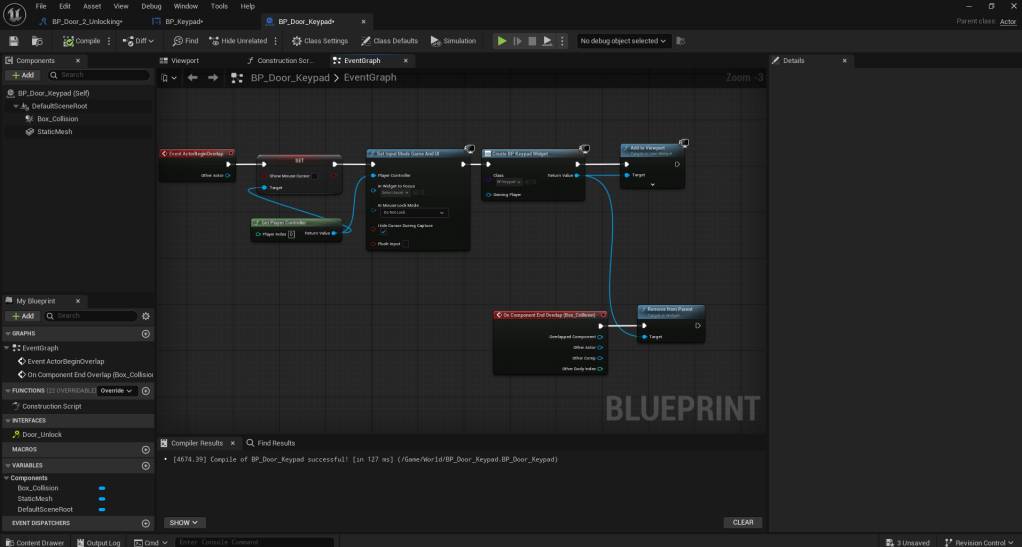
A few screenshots of my blueprints.
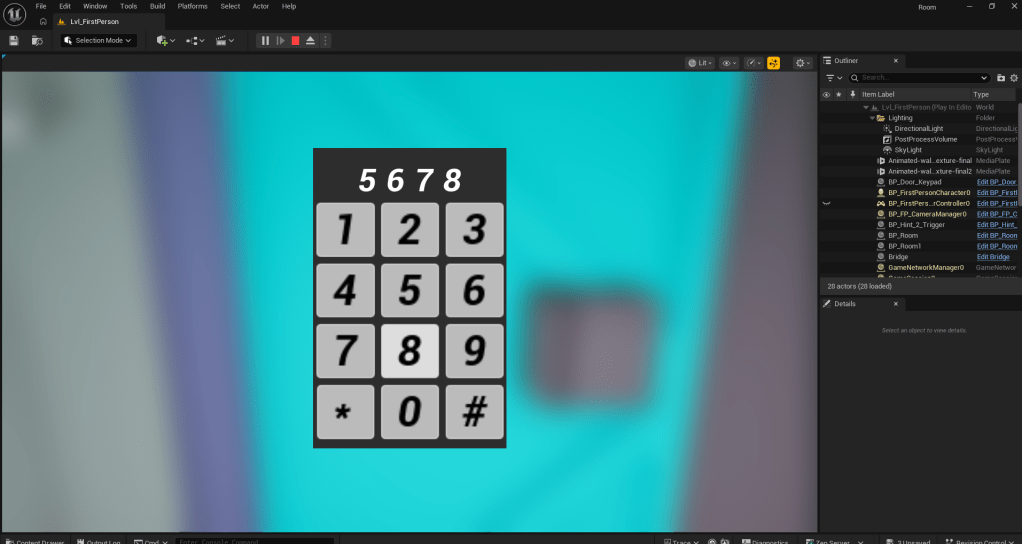
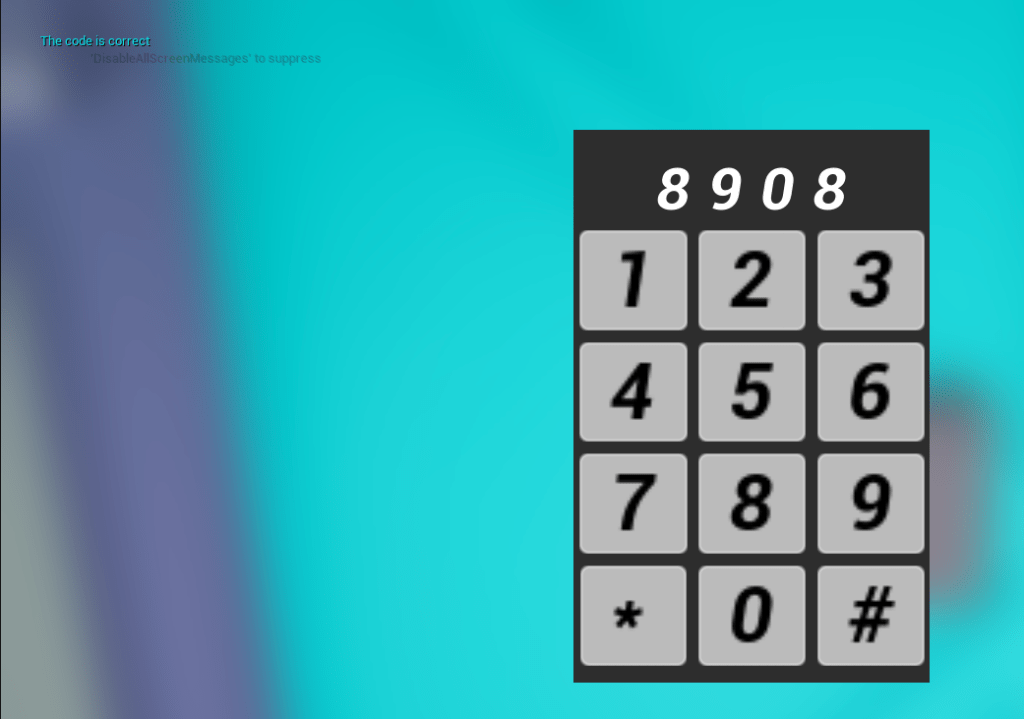
As of writing, I have managed to set it up so that the barrier blocking the door will be removed once the correct code has been input. The code will be based on a riddle.
W/C 19/01/26
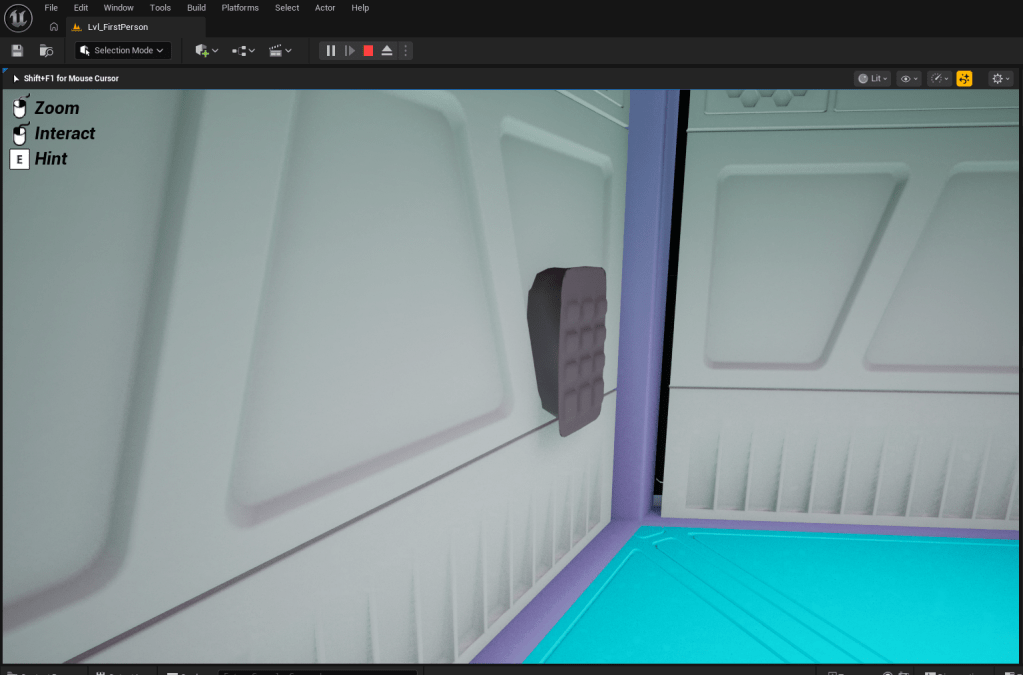
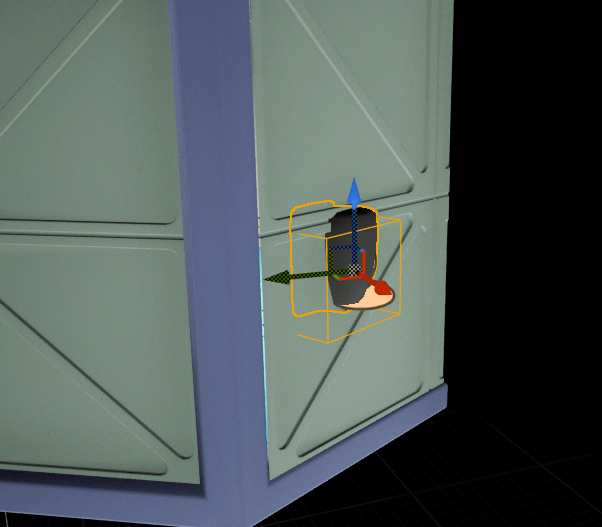
I have updated the keypads model.
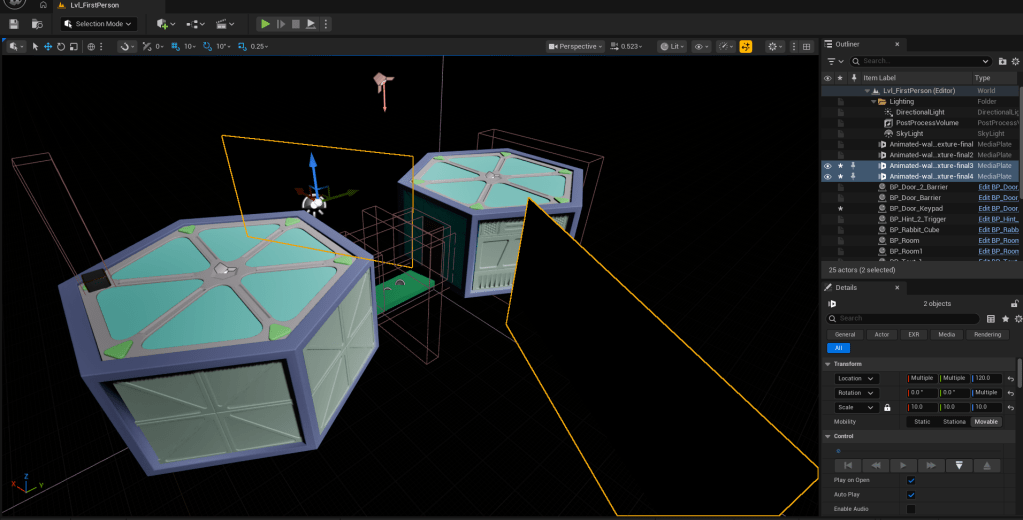
I have also duplicated my screens and put them in front of the second room to hide the back of the keypad model and add some artistic flair to my escape room.
W/C 26/01/26
The time has come for me to work on my third and final puzzle. The last puzzle will be a maze. The player will be guided towards the goal via subtle lighting tricks.
The maze will be generated using a handy online tool called maze generator. (Maze Generator)
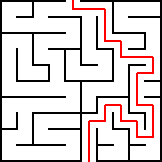
Above is the maze I settled on. I will model this in Blender and import it into Unreal Engine.
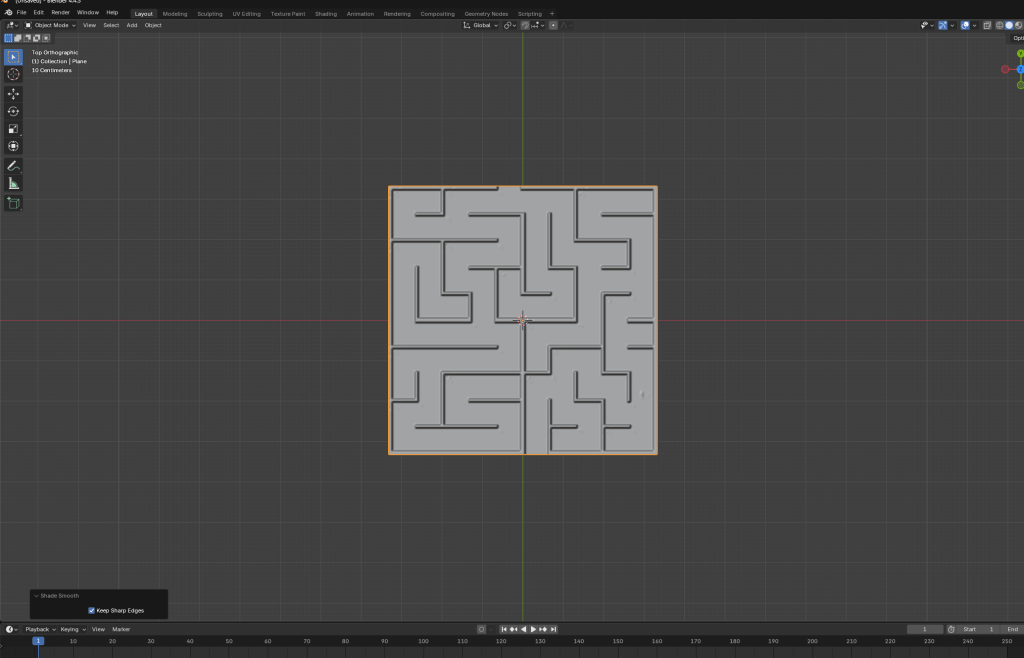
I created this model using a plane and a displacement modifier.
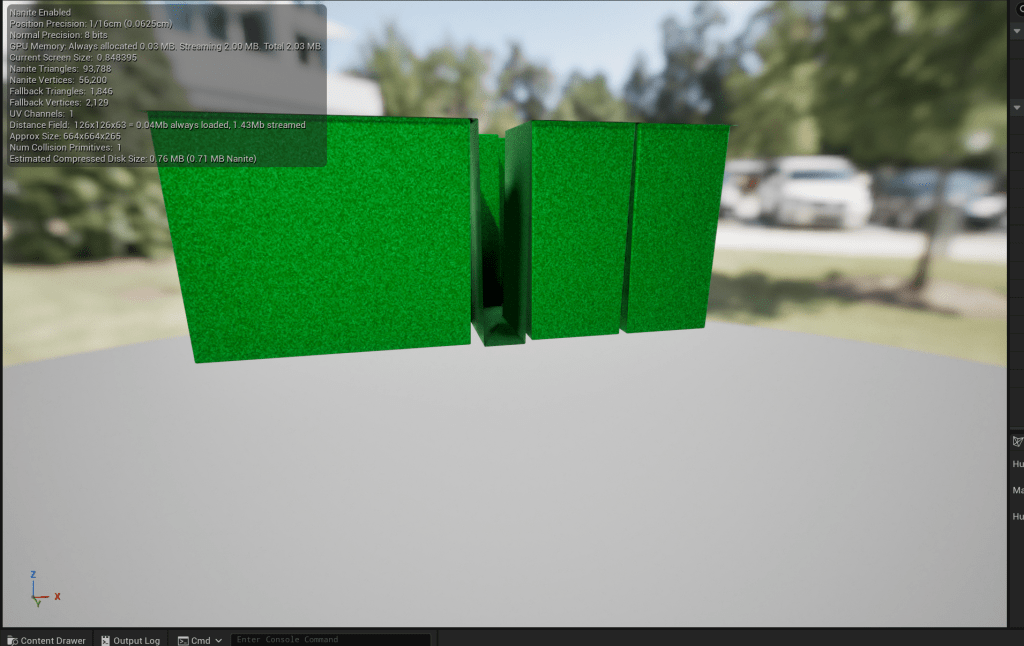
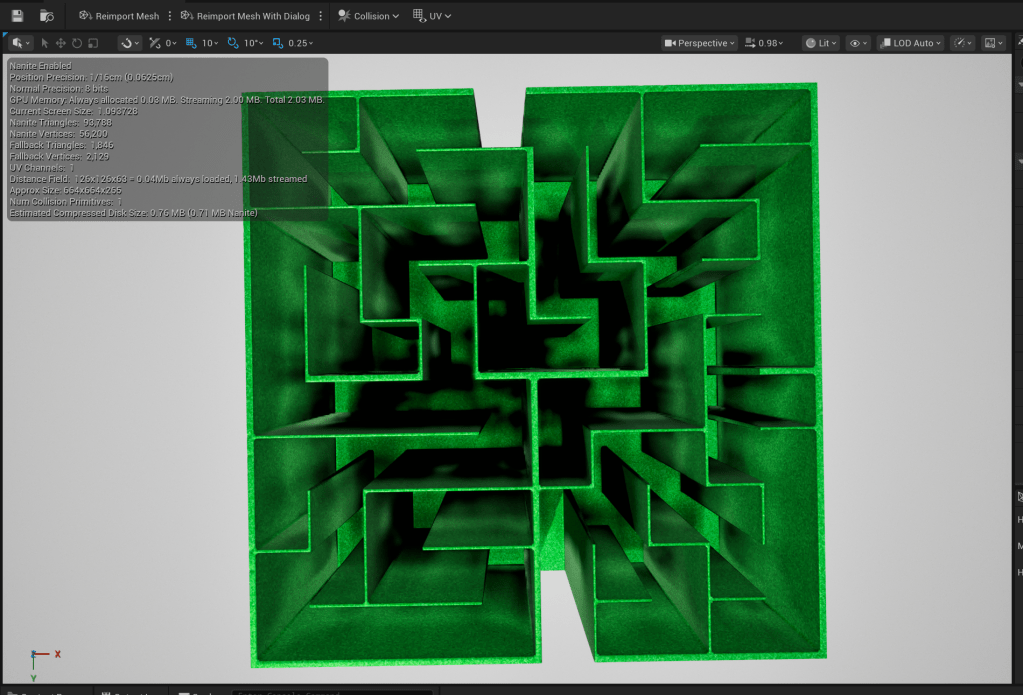
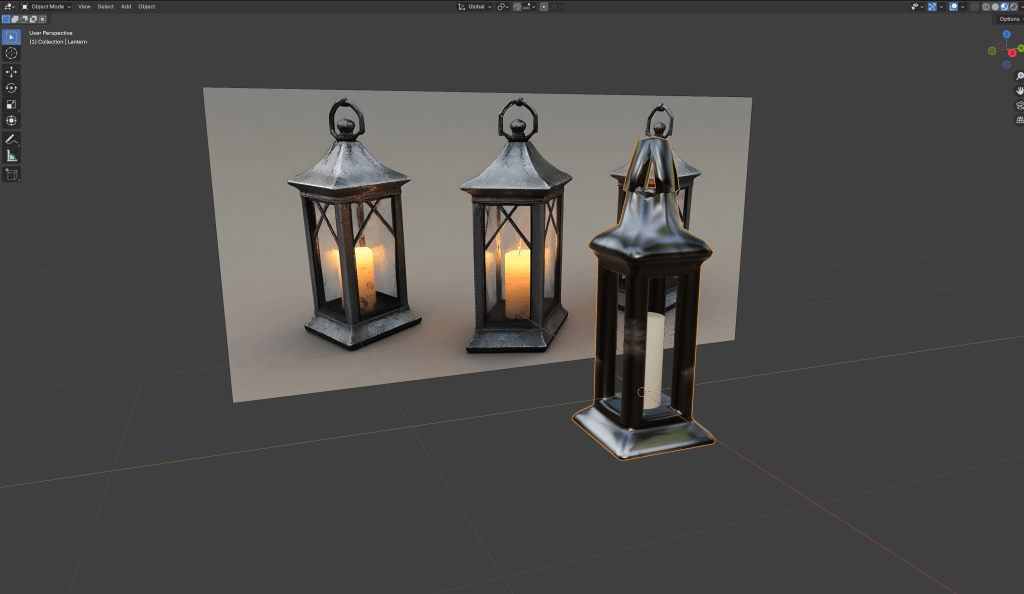
The lantern I made in Blender, as seen above, will be used for guiding the player.
W/C 02/02/26
I have started to work on the timer, which will last for two and a half minutes, or 150 seconds. I think this gives the player enough time to escape the matrix.
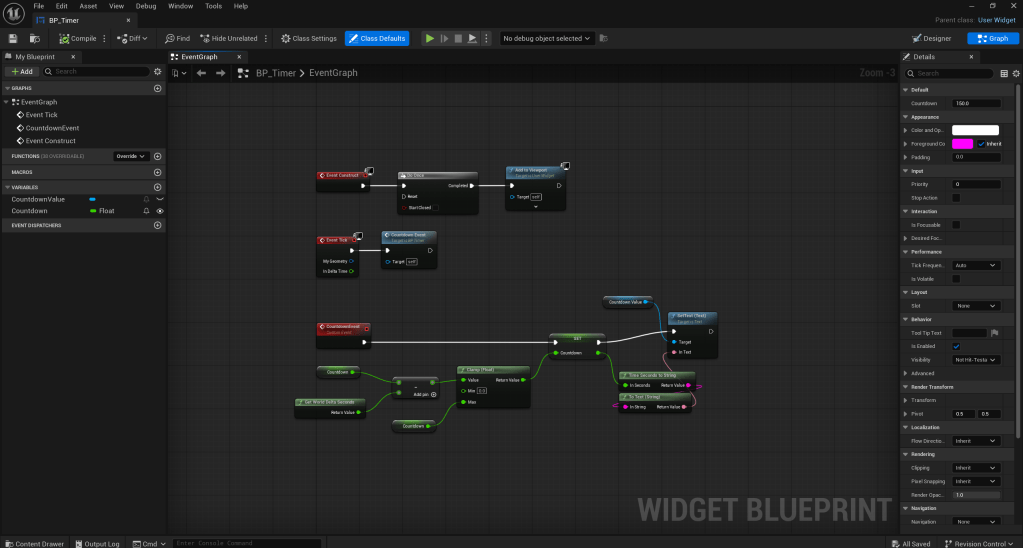
How To Make A Countdown Timer | Unreal Engine 5 Tutorial
All that’s left is to add an ending/win screen and a game over screen to trigger once the timer has run out.
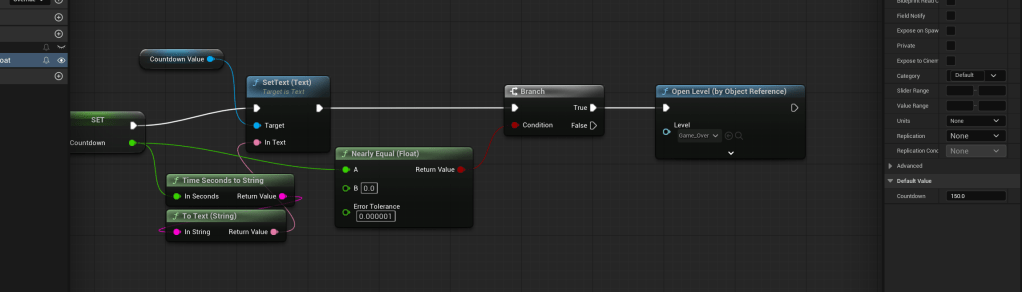
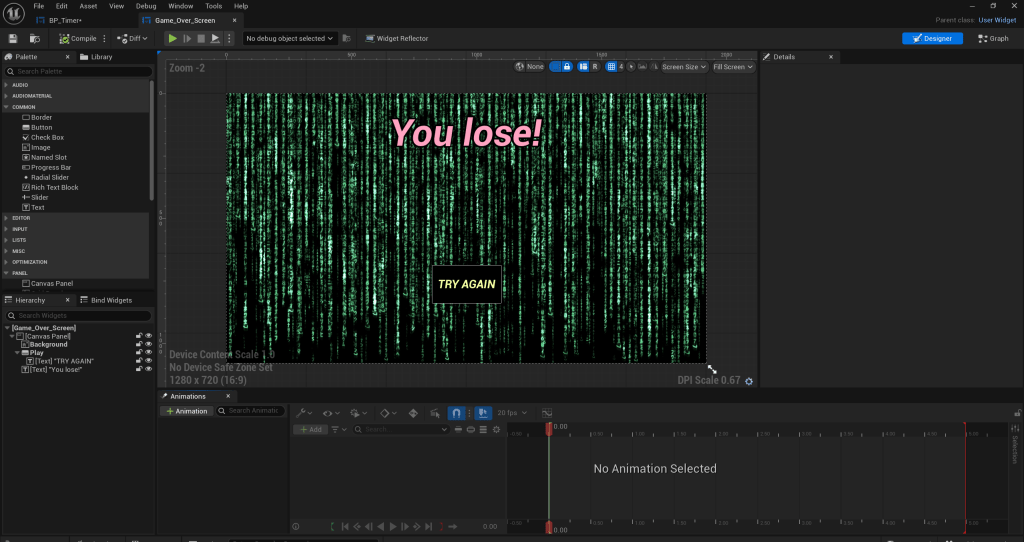
For the ending, I will make the player pick up a phone in order to trigger the win screen.
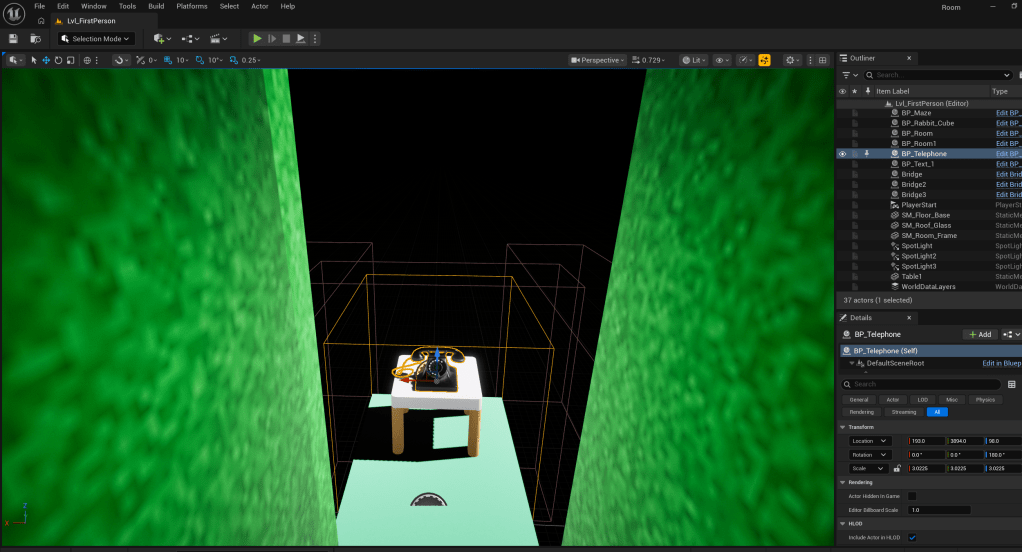
As of writing, I am done with my escape room.
Reference list
Adobe (2025). How to make a GIF in Photoshop – Adobe. [online] Adobe.com. Available at: https://www.adobe.com/creativecloud/photography/discover/make-a-gif.html?msockid=3f62c728e2c56c680f8bd14ce3e26daf [Accessed 11 Dec. 2025].
Allan, D. (2017). Designing Video Game Puzzles. [online] Game Developer. Available at: https://www.gamedeveloper.com/design/designing-video-game-puzzles [Accessed 17 Oct. 2025].
Nieves, P. (2024). UE5 Interfaces: How to Create an Interaction System. [online] The Indie Dev Professor. Available at: https://theindieprofessor.wordpress.com/2024/12/04/ue5-interfaces-how-to-create-an-interaction-system/ [Accessed 15 Jan. 2026].
Unreal University (2024). Unreal 5.4 Modular Control Rig Tutorial. Unreal University. [online] doi:https://doi.org/10T180330.960.
WorldOfLevelDesign (2025). UE5: Definitive Guide to Custom Collisions in Unreal Engine 5 for Static Meshes (UE5 and Maya). [online] Worldofleveldesign.com. Available at: https://www.worldofleveldesign.com/categories/ue5/collisions-guide.php [Accessed 26 Feb. 2026].
 Dylan Brant